Google Cloud Run is a fully managed compute platform that automatically scales your containerized applications.
Serverless architecture: Cloud Run follows a serverless architecture, which means you don’t need to manage any underlying infrastructure. Google Cloud Run automatically handles the scaling and availability of your flow run infrastructure, allowing you to focus on developing and deploying your code.
Scalability: Cloud Run can automatically scale your pipeline to handle varying workloads and traffic. It can quickly respond to increased demand and scale back down during low activity periods, ensuring efficient resource utilization.
Integration with Google Cloud services: Google Cloud Run easily integrates with other Google Cloud services, such as Google Cloud Storage, Google Cloud Pub/Sub, and Google Cloud Build. This interoperability enables you to build end-to-end data pipelines that use a variety of services.
Portability: Since Cloud Run uses container images, you can develop your pipelines locally using Docker and then deploy them on Google Cloud Run without significant modifications. This portability allows you to run the same pipeline in different environments.
A project on your GCP account where you have the necessary permissions to create Cloud Run Services and Service Accounts.
The gcloud CLI installed on your local machine. You can follow Google Cloud’s installation guide. If you’re using Apple (or a Linux system) you can also use Homebrew for installation.
First, open a terminal or command prompt on your local machine where gcloud is installed. If you haven’t already authenticated with gcloud, run the following command and follow the instructions to log in to your GCP account.
gcloud auth login
Next, you’ll set your project where you’d like to create the service account. Use the following command and replace <PROJECT_ID> with your GCP project’s ID.
gcloud config set project <PROJECT-ID>
For example, if your project’s ID is prefect-project the command will look like this:
gcloud config set project prefect-project
Now you’re ready to make the service account. To do so, you’ll need to run this command:
gcloud iam service-accounts create <SERVICE-ACCOUNT-NAME> --display-name="<DISPLAY-NAME>"
Here’s an example of the command above which you can use which already has the service account name and display name provided. An additional option to describe the service account has also been added:
gcloud iam service-accounts create prefect-service-account \
    --description="service account to use for the prefect worker" \
    --display-name="prefect-service-account"
The last step of this process is to make sure the service account has the proper permissions to execute flow runs as Cloud Run jobs.
Run the following commands to grant the necessary permissions:
You can create a new work pool using the Prefect UI or CLI. The following command creates a work pool of type cloud-run via the CLI (you’ll want to replace the <WORK-POOL-NAME> with the name of your work pool):
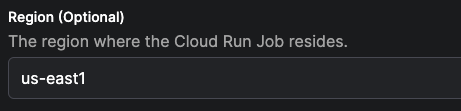
Once the work pool is created, find the work pool in the UI and edit it.There are many ways to customize the base job template for the work pool. Modifying the template influences the infrastructure configuration that the worker provisions for flow runs submitted to the work pool. For this guide we are going to modify just a few of the available fields.Specify the region for the cloud run job.Save the name of the service account created in first step of this guide.Your work pool is now ready to receive scheduled flow runs!
Now you can launch a Cloud Run service to host the Cloud Run worker. This worker will poll the work pool that you created in the previous step.Navigate back to your terminal and run the following commands to set your Prefect API key and URL as environment variables.
Be sure to replace <ACCOUNT-ID> and <WORKSPACE-ID> with your Prefect account and workspace IDs (both will be available in the URL of the UI when previewing the workspace dashboard).
You’ll want to replace <YOUR-API-KEY> with an active API key as well.
Once those variables are set, run the following shell command to deploy your worker as a service.
Don’t forget to replace <YOUR-SERVICE-ACCOUNT-NAME> with the name of the service account you created in the first step of this guide, and replace <WORK-POOL-NAME> with the name of the work pool you created in the second step.
This example uses prefecthq/prefect-gcp:latest which includes both prefect and prefect-gcp pre-installed, and sets --install-policy never
to avoid runtime package installation. For production deployments, consider pinning to a specific version tag
(e.g., prefecthq/prefect-gcp:0.6.17-python3.12-prefect3.6.19).
After running this command, you’ll be prompted to specify a region. Choose the same region that you selected when creating the Cloud Run work pool in the second step of this guide.
The next prompt will ask if you’d like to allow unauthenticated invocations to your worker. For this guide, you can select “No”.After a few seconds, you’ll be able to see your new prefect-worker service by navigating to the Cloud Run page of your Google Cloud console. Additionally, you should be able to see a record of this worker in the Prefect UI on the work pool’s page by navigating to the Worker tab.
Let’s not leave our worker hanging, it’s time to give it a job.
Let’s prepare a flow to run as a Cloud Run job. In this section of the guide, we’ll “bake” our code into a Docker image, and push that image to Google Artifact Registry.
Let’s create a docker repository in your Google Artifact Registry to host your custom image. If you already have a registry, and are authenticated to it, skip ahead to the Write a flow section.The following command creates a repository using the gcloud CLI. You’ll want to replace the <REPOSITORY-NAME> with your own value. :
First, create a new directory. This will serve as the root of your project’s repository. Within the directory, create a sub-directory called flows.
Navigate to the flows subdirectory and create a new file for your flow. Feel free to write your own flow, but here’s a ready-made one for your convenience:
Now we’re ready to make a prefect.yaml file, which will be responsible for managing the deployments of this repository.
Navigate back to the root of your directory, and run the following command to create a prefect.yaml file using Prefect’s docker deployment recipe.
prefect init --recipe docker
You’ll receive a prompt to put in values for the image name and tag. Since we will be pushing the image to Google Artifact Registry, the name of your image should be prefixed with the path to the docker repository you created within the registry. For example: us-docker.pkg.dev/<PROJECT-ID>/<REPOSITORY-NAME>/. You’ll want to replace <PROJECT-ID> with the ID of your project in GCP. This should match the ID of the project you used in first step of this guide. Here is an example of what this could look like:
At this point, there will be a new prefect.yaml file available at the root of your project. The contents will look similar to the example below, however, we’ve added in a combination of YAML templating options and Prefect deployment actions to build out a simple CI/CD process. Feel free to copy the contents and paste them in your prefect.yaml:
# Welcome to your prefect.yaml file! You can you this file for storing and managing# configuration for deploying your flows. We recommend committing this file to source# control along with your flow code.# Generic metadata about this projectname: <WORKING-DIRECTORY>prefect-version: 3.0.0# build section allows you to manage and build docker imagebuild:- prefect_docker.deployments.steps.build_docker_image: id: build_image requires: prefect-docker>=0.3.1 image_name: <PATH-TO-ARTIFACT-REGISTRY>/gcp-weather-image tag: latest dockerfile: auto platform: linux/amd64# push section allows you to manage if and how this project is uploaded to remote locationspush:- prefect_docker.deployments.steps.push_docker_image: requires: prefect-docker>=0.3.1 image_name: '{{ build_image.image_name }}' tag: '{{ build_image.tag }}'# pull section allows you to provide instructions for cloning this project in remote locationspull:- prefect.deployments.steps.set_working_directory: directory: /opt/prefect/<WORKING-DIRECTORY># the deployments section allows you to provide configuration for deploying flowsdeployments:- name: gcp-weather-deploy version: null tags: [] description: null schedule: {} flow_name: null entrypoint: flows/weather_flow.py:fetch_weather parameters: lat: 14.5994 lon: 28.6731 work_pool: name: my-cloud-run-pool work_queue_name: default job_variables: image: '{{ build_image.image }}'
After copying the example above, don’t forget to replace <WORKING-DIRECTORY> with the name of the directory where your flow folder and prefect.yaml live. You’ll also need to replace <PATH-TO-ARTIFACT-REGISTRY> with the path to the Docker repository in your Google Artifact Registry.
To get a better understanding of the different components of the prefect.yaml file above and what they do, feel free to read this next section. Otherwise, you can skip ahead to Flow Deployment.In the build section of the prefect.yaml the following step is executed at deployment build time:
prefect_docker.deployments.steps.build_docker_image : builds a Docker image automatically which uses the name and tag chosen previously.
If you are using an ARM-based chip (such as an M1 or M2 Mac), you’ll want to ensure that you add platform: linux/amd64 to your build_docker_image step to ensure that your docker image uses an AMD architecture. For example:
The push section sends the Docker image to the Docker repository in your Google Artifact Registry, so that it can be easily accessed by the worker for flow run execution.The pull section sets the working directory for the process prior to importing your flow.In the deployments section of the prefect.yaml file above, you’ll see that there is a deployment declaration named gcp-weather-deploy. Within the declaration, the entrypoint for the flow is specified along with some default parameters which will be passed to the flow at runtime. Last but not least, the name of the work pool that we created in step 2 of this guide is specified.
Find your deployment in the UI, and hit the Quick Run button.
You have now successfully submitted a flow run to your Cloud Run worker!
If you used the flow script provided in this guide, check the Artifacts tab for the flow run once it completes.
You’ll have a nice little weather report waiting for you there. Hope your day is a sunny one!
Congratulations on completing this guide! Looking back on our journey, you have:
Created a Google Cloud service account
Created a Cloud Run work pool
Deployed a Cloud Run worker
Deployed a flow
Executed a flow
For next steps, take a look at some of the other work pools Prefect has to offer.The world is your oyster 🦪✨.
Was this page helpful?
{"docsConfig":{"theme":"mint","$schema":"https://mintlify.com/docs.json","name":"Prefect","colors":{"primary":"#2D6DF6","light":"#5F92FF","dark":"#2D6DF6"},"logo":{"light":"https://mintcdn.com/prefect-bd373955/2_4m_dDmEdgqK7r9/logos/logo-wordmark-dark.svg?fit=max\u0026auto=format\u0026n=2_4m_dDmEdgqK7r9\u0026q=85\u0026s=076c95a93dbe29192ba9129faefcc878","dark":"https://mintcdn.com/prefect-bd373955/2_4m_dDmEdgqK7r9/logos/logo-wordmark-light.svg?fit=max\u0026auto=format\u0026n=2_4m_dDmEdgqK7r9\u0026q=85\u0026s=46ef25a1069c303ca7d9e24ec801e760","href":"https://www.prefect.io/docs"},"favicon":"https://mintcdn.com/prefect-bd373955/2_4m_dDmEdgqK7r9/logos/favicon.svg?fit=max\u0026auto=format\u0026n=2_4m_dDmEdgqK7r9\u0026q=85\u0026s=c0e62122cb72036e569b2656916a1b33","api":{"playground":{"display":"simple"}},"appearance":{"default":"light","strict":false},"navbar":{"primary":{"type":"github","href":"https://github.com/PrefectHQ/Prefect"}},"footer":{"socials":{"bluesky":"https://bsky.app/profile/prefect.io","github":"https://github.com/PrefectHQ/prefect","linkedin":"https://www.linkedin.com/company/prefect/mycompany","slack":"https://prefect.io/slack","x":"https://x.com/PrefectIO","youtube":"https://www.youtube.com/c/PrefectIO"}},"seo":{"metatags":{"canonical":"https://www.prefect.io/docs"}},"integrations":{"ga4":{"measurementId":"G-8GR5P04T5Y"},"gtm":{"tagId":"GTM-N633BZ8"}},"errors":{"404":{"redirect":false}},"contextual":{"options":["copy","view"],"display":"header"},"styling":{"latex":true},"navigation":{"pages":[]}},"deployment":{"deploymentMetadataValue":{"subdomain":"prefect-bd373955","hasAudioNarration":false,"actualSubdomain":"prefect-bd373955","customDomains":[],"gitSource":{"type":"github","owner":"prefecthq","repo":"prefect","deployBranch":"main","contentDirectory":"docs","isPrivate":false,"mountPath":"","label":""},"chroma":{"liveDeploymentHistoryId":"6aebae2be8d23663794098e8","collectionId":"28a32e15-27de-4edf-91c2-0682e8bb6873","schemaVersion":"v3","latestBuiltDeploymentHistoryId":"6aebae2be8d23663794098e8"},"feedback":{"thumbs":true},"entitlements":{"AI_CHAT":{"status":"ENABLED"},"REMOVE_BRANDING":{"status":"ENABLED"},"CONTEXTUAL_FEEDBACK":{"status":"ENABLED"},"CODE_SNIPPET_FEEDBACK":{"status":"ENABLED"},"WEB_MCP":{"status":"ENABLED"},"NARRATION":{"status":"ENABLED"}},"buildId":"6aee42ba68213475f1385309","clientVersion":"0.0.4076","searchFilterCounts":[{"language":"default","tag":"API Reference","count":1172},{"language":"default","tag":"Python SDK Reference","count":364},{"language":"default","tag":"Integrations","count":329},{"language":"default","tag":"REST API","count":183},{"language":"default","tag":"Server API","count":181},{"language":"default","tag":"prefect.server","count":148},{"language":"default","tag":"SDK Reference","count":127},{"language":"default","tag":"How-to Guides","count":71},{"language":"default","tag":"models","count":60},{"language":"default","tag":"api","count":39}]},"assistantConfig":{},"basePath":"/docs","hasChatPermissions":true,"hasWebMcpPermissions":true,"toggles":[{"name":"kill-isr","enabled":true,"variant":{"name":"disabled","enabled":false,"feature_enabled":true},"impressionData":false},{"name":"agent-mintlify-slack","enabled":true,"variant":{"name":"disabled","enabled":false,"feature_enabled":true},"impressionData":false},{"name":"agent-integrations-settings","enabled":true,"variant":{"name":"disabled","enabled":false,"feature_enabled":true},"impressionData":false},{"name":"rbac-expansion","enabled":true,"variant":{"name":"disabled","enabled":false,"feature_enabled":true},"impressionData":false},{"name":"automations-pr-grouping","enabled":true,"variant":{"name":"disabled","enabled":false,"feature_enabled":true},"impressionData":false},{"name":"custom-prefix","enabled":true,"variant":{"name":"disabled","enabled":false,"feature_enabled":true},"impressionData":false},{"name":"analytics-v7","enabled":true,"variant":{"name":"disabled","enabled":false,"feature_enabled":true},"impressionData":false},{"name":"user-flows-analytics","enabled":true,"variant":{"name":"disabled","enabled":false,"feature_enabled":true},"impressionData":false},{"name":"no-publish-flow","enabled":true,"variant":{"name":"disabled","enabled":false,"feature_enabled":true},"impressionData":false},{"name":"workos-onboarding","enabled":true,"variant":{"name":"disabled","enabled":false,"feature_enabled":true},"impressionData":false},{"name":"llms-txt-v2","enabled":true,"variant":{"name":"disabled","enabled":false,"feature_enabled":true},"impressionData":false},{"name":"snapshot-serving-live","enabled":true,"variant":{"name":"disabled","enabled":false,"feature_enabled":true},"impressionData":false},{"name":"stripTemperatureMiddleware","enabled":true,"variant":{"name":"disabled","enabled":false,"feature_enabled":true},"impressionData":false},{"name":"support-platform-pylon-zendesk","enabled":true,"variant":{"name":"disabled","enabled":false,"feature_enabled":true},"impressionData":false},{"name":"snapshot-serving","enabled":true,"variant":{"name":"disabled","enabled":false,"feature_enabled":true},"impressionData":false},{"name":"instant-rollback","enabled":true,"variant":{"name":"disabled","enabled":false,"feature_enabled":true},"impressionData":false},{"name":"granular-notifications-server","enabled":true,"variant":{"name":"disabled","enabled":false,"feature_enabled":true},"impressionData":false},{"name":"granular-notifications","enabled":true,"variant":{"name":"disabled","enabled":false,"feature_enabled":true},"impressionData":false},{"name":"automations-fable","enabled":true,"variant":{"name":"disabled","enabled":false,"feature_enabled":true},"impressionData":false},{"name":"fixed-ai-action-pricing","enabled":true,"variant":{"name":"disabled","enabled":false,"feature_enabled":true},"impressionData":false},{"name":"automation-resolve-merge-conflict","enabled":true,"variant":{"name":"disabled","enabled":false,"feature_enabled":true},"impressionData":false},{"name":"scoped-publishing","enabled":true,"variant":{"name":"disabled","enabled":false,"feature_enabled":true},"impressionData":false},{"name":"mintql","enabled":true,"variant":{"name":"disabled","enabled":false,"feature_enabled":true},"impressionData":false},{"name":"page-level-analytics","enabled":true,"variant":{"name":"disabled","enabled":false,"feature_enabled":true},"impressionData":false},{"name":"editor-version-history-v2","enabled":true,"variant":{"name":"disabled","enabled":false,"feature_enabled":true},"impressionData":false},{"name":"billing-page-v2","enabled":true,"variant":{"name":"disabled","enabled":false,"feature_enabled":true},"impressionData":false},{"name":"full-page-search","enabled":true,"variant":{"name":"disabled","enabled":false,"feature_enabled":true},"impressionData":false},{"name":"workspace-projects","enabled":true,"variant":{"name":"disabled","enabled":false,"feature_enabled":true},"impressionData":false},{"name":"assistant-v5","enabled":true,"variant":{"name":"disabled","enabled":false,"feature_enabled":true},"impressionData":false},{"name":"fork-pr-previews","enabled":true,"variant":{"name":"disabled","enabled":false,"feature_enabled":true},"impressionData":false},{"name":"revalidation-jwt","enabled":true,"variant":{"name":"disabled","enabled":false,"feature_enabled":true},"impressionData":false},{"name":"workos-sso-scim","enabled":true,"variant":{"name":"disabled","enabled":false,"feature_enabled":true},"impressionData":false},{"name":"hobby-abuse-scan","enabled":true,"variant":{"name":"disabled","enabled":false,"feature_enabled":true},"impressionData":false},{"name":"dashboard-inbox","enabled":true,"variant":{"name":"disabled","enabled":false,"feature_enabled":true},"impressionData":false},{"name":"workos-signup","enabled":true,"variant":{"name":"disabled","enabled":false,"feature_enabled":true},"impressionData":false},{"name":"turbopuffer-dual-write","enabled":true,"variant":{"name":"disabled","enabled":false,"feature_enabled":true},"impressionData":false},{"name":"workos-enabled","enabled":true,"variant":{"name":"disabled","enabled":false,"feature_enabled":true},"impressionData":false},{"name":"approve-review-flow","enabled":true,"variant":{"name":"disabled","enabled":false,"feature_enabled":true},"impressionData":false},{"name":"sso-setup-deadline-banner","enabled":true,"variant":{"name":"disabled","enabled":false,"feature_enabled":true},"impressionData":false},{"name":"turbopuffer-serve","enabled":true,"variant":{"name":"disabled","enabled":false,"feature_enabled":true},"impressionData":false},{"name":"live-agents","enabled":true,"variant":{"name":"disabled","enabled":false,"feature_enabled":true},"impressionData":false},{"name":"comment-mode","enabled":true,"variant":{"name":"disabled","enabled":false,"feature_enabled":true},"impressionData":false}],"googleFontsInlined":false},"customCss":[{"filePath":"styles.css","content":"#topbar-cta-button>a>span{background-color:#2d6df6;border-radius:0.25rem}#topbar-cta-button>a{padding:0.5rem 1rem}#topbar-cta-button>a div>span{font-weight:400;letter-spacing:0.4px}#topbar-cta-button>a div>span,#topbar-cta-button>a div>svg{color:#fff}img{filter:none!important}@import url(\"https://fonts.googleapis.com/css2?family=Inter:wght@400;500;700\u0026display=swap\");@import url(\"https://fonts.googleapis.com/css2?family=Roboto:wght@400;500;700\u0026display=swap\");body{font-family:\"Inter\", sans-serif}h1,h2,h3,h4,h5,h6{font-family:\"Roboto\", sans-serif}p{font-family:\"Inter\", sans-serif}[role=\"listitem\"] *:last-child:not(.code-block,.link){border-bottom:none!important}.badge{display:table;margin:0 0 1rem;font-family:\"Inter\", sans-serif;font-size:0.6875rem;font-weight:600;line-height:1;letter-spacing:0.02em;text-transform:uppercase;padding:0.35em 0.6em;border-radius:0.375rem;white-space:nowrap}.badge.cloud{color:#fff;background-color:#2d6df6}.badge.cloud::after{content:\"Prefect Cloud\"}"},{"filePath":"assets/code.css","content":".namespace{opacity:0.7}.token.doctype .token.doctype-tag{color:#79c0ff}.token.doctype .token.name{color:#d2a8ff}.token.comment,.token.prolog{color:#8b949e}.token.punctuation,.language-html .language-css .token.punctuation,.language-html .language-javascript .token.punctuation{color:#c9d1d9}.token.property,.token.tag,.token.boolean,.token.number,.token.constant,.token.symbol,.token.inserted,.token.unit{color:#79c0ff}.token.selector,.token.attr-name,.token.string,.token.char,.token.builtin,.token.deleted{color:#79c0ff}.token.plain-text{color:#fafafa}.language-css .token.string.url{text-decoration:underline}.token.operator,.token.entity{color:#79c0ff}.token.operator.arrow{color:#ff7b72}.token.atrule{color:#79c0ff}.token.atrule .token.rule{color:#d2a8ff}.token.atrule .token.url{color:#79c0ff}.token.atrule .token.url .token.function{color:#79c0ff}.token.atrule .token.url .token.punctuation{color:#d4d4d4}.token.keyword{color:#ff7b72}.token.keyword.module,.token.keyword.control-flow{color:#c586c0}.token.function,.token.function .token.maybe-class-name{color:#d2a8ff}.token.regex{color:#a5d6ff}.token.important{color:#ff7b72}.token.italic{font-style:italic;color:#c9d1d9}.token.constant{color:#79c0ff}.token.class-name,.token.maybe-class-name{color:#d2a8ff}.token.console{color:#9cdcfe}.token.parameter{color:#79c0ff}.token.interpolation{color:#79c0ff}.token.punctuation.interpolation-punctuation{color:#569cd6}.token.boolean{color:#ff7b72}.token.property,.token.variable,.token.imports .token.maybe-class-name,.token.exports .token.maybe-class-name{color:#79c0ff}.token.selector{color:#7ee787}.token.escape{color:#7ee787}.token.tag{color:#7ee787}.token.tag .token.punctuation{color:#808080}.token.cdata{color:#808080}.token.attr-name{color:#79c0ff}.token.attr-value,.token.attr-value .token.punctuation{color:#a5d6ff}.token.attr-value .token.punctuation.attr-equals{color:#d4d4d4}.token.entity{color:#79c0ff}.token.namespace{color:#7ee787}.token.operator{color:#94a3b8}pre[class*=\"language-javascript\"],code[class*=\"language-javascript\"],pre[class*=\"language-jsx\"],code[class*=\"language-jsx\"],pre[class*=\"language-typescript\"],code[class*=\"language-typescript\"],pre[class*=\"language-tsx\"],code[class*=\"language-tsx\"]{color:#79c0ff}pre[class*=\"language-css\"],code[class*=\"language-css\"]{color:#a5d6ff}pre[class*=\"language-html\"],code[class*=\"language-html\"]{color:#c9d1d9}.language-regex .token.anchor{color:#dcdcaa}.language-html .token.punctuation{color:#808080}span.language-json .token.punctuation{color:#4b5563}:is(.dark span.language-json .token.punctuation){color:#d1d5db}span.language-json .token.property{color:#0284c7}:is(.dark span.language-json .token.property){color:9cdcfe}span.language-json .token.string{color:#d97706}:is(.dark span.language-json .token.string){color:#ce9178}span.language-json .token.number{color:#16a34a}:is(.dark span.language-json .token.number){color:#b5cea8}.line-highlight.line-highlight{background:#f7ebc6;box-shadow:inset 5px 0 0 #f7d87c;z-index:0}"}],"page":{"pagePath":"integrations/prefect-gcp/gcp-worker-guide","slug":"/integrations/prefect-gcp/gcp-worker-guide","pageMetadata":{"title":"Google Cloud Run Worker Guide","description":"Set up a Google Cloud Run work pool and worker, then deploy a flow to it so your flow runs execute serverlessly on Google Cloud.","keywords":["Google Cloud Run","GCP","worker","serverless","container"],"href":"/integrations/prefect-gcp/gcp-worker-guide"},"description":{"compiledSource":"\"use strict\";\nconst {jsx: _jsx} = arguments[0];\nconst {useMDXComponents: _provideComponents} = arguments[0];\nfunction _createMdxContent(props) {\n const _components = {\n p: \"p\",\n ..._provideComponents(),\n ...props.components\n };\n return _jsx(_components.p, {\n children: \"Set up a Google Cloud Run work pool and worker, then deploy a flow to it so your flow runs execute serverlessly on Google Cloud.\"\n });\n}\nfunction MDXContent(props = {}) {\n const {wrapper: MDXLayout} = {\n ..._provideComponents(),\n ...props.components\n };\n return MDXLayout ? _jsx(MDXLayout, {\n ...props,\n children: _jsx(_createMdxContent, {\n ...props\n })\n }) : _createMdxContent(props);\n}\nreturn {\n default: MDXContent\n};\n","frontmatter":{},"scope":{}},"pageType":"default","mdx":{"mdxSource":{"compiledSource":"\"use strict\";const{Fragment:_Fragment,jsx:_jsx,jsxs:_jsxs}=arguments[0];const{useMDXComponents:_provideComponents}=arguments[0];function _createMdxContent(props){const _components={a:`a`,code:`code`,em:`em`,li:`li`,ol:`ol`,p:`p`,pre:`pre`,span:`span`,strong:`strong`,ul:`ul`,..._provideComponents(),...props.components},{CodeBlock,Heading,OptimizedImage,Tip,Warning}=_components;if(!CodeBlock)_missingMdxReference(`CodeBlock`,true);if(!Heading)_missingMdxReference(`Heading`,true);if(!OptimizedImage)_missingMdxReference(`OptimizedImage`,true);if(!Tip)_missingMdxReference(`Tip`,true);if(!Warning)_missingMdxReference(`Warning`,true);return _jsxs(_Fragment,{children:[_jsx(Heading,{level:`2`,id:`why-use-google-cloud-run-for-flow-run-execution`,children:`Why use Google Cloud Run for flow run execution?`}),`\n`,_jsx(_components.p,{children:`Google Cloud Run is a fully managed compute platform that automatically scales your containerized applications.`}),`\n`,_jsxs(_components.ol,{children:[`\n`,_jsxs(_components.li,{children:[`\n`,_jsx(_components.p,{children:`Serverless architecture: Cloud Run follows a serverless architecture, which means you don’t need to manage any underlying infrastructure. Google Cloud Run automatically handles the scaling and availability of your flow run infrastructure, allowing you to focus on developing and deploying your code.`}),`\n`]}),`\n`,_jsxs(_components.li,{children:[`\n`,_jsx(_components.p,{children:`Scalability: Cloud Run can automatically scale your pipeline to handle varying workloads and traffic. It can quickly respond to increased demand and scale back down during low activity periods, ensuring efficient resource utilization.`}),`\n`]}),`\n`,_jsxs(_components.li,{children:[`\n`,_jsx(_components.p,{children:`Integration with Google Cloud services: Google Cloud Run easily integrates with other Google Cloud services, such as Google Cloud Storage, Google Cloud Pub/Sub, and Google Cloud Build. This interoperability enables you to build end-to-end data pipelines that use a variety of services.`}),`\n`]}),`\n`,_jsxs(_components.li,{children:[`\n`,_jsx(_components.p,{children:`Portability: Since Cloud Run uses container images, you can develop your pipelines locally using Docker and then deploy them on Google Cloud Run without significant modifications. This portability allows you to run the same pipeline in different environments.`}),`\n`]}),`\n`]}),`\n`,_jsx(Heading,{level:`2`,id:`google-cloud-run-guide`,children:`Google Cloud Run guide`}),`\n`,_jsx(_components.p,{children:`After completing this guide, you will have:`}),`\n`,_jsxs(_components.ol,{children:[`\n`,_jsx(_components.li,{children:`Created a Google Cloud Service Account`}),`\n`,_jsx(_components.li,{children:`Created a Prefect Work Pool`}),`\n`,_jsx(_components.li,{children:`Deployed a Prefect Worker as a Cloud Run Service`}),`\n`,_jsx(_components.li,{children:`Deployed a Flow`}),`\n`,_jsx(_components.li,{children:`Executed the Flow as a Google Cloud Run Job`}),`\n`]}),`\n`,_jsx(Heading,{level:`3`,id:`prerequisites`,children:`Prerequisites`}),`\n`,_jsx(_components.p,{children:`Before starting this guide, make sure you have:`}),`\n`,_jsxs(_components.ul,{children:[`\n`,_jsxs(_components.li,{children:[`A `,_jsx(_components.a,{href:`https://cloud.google.com/gcp`,children:`Google Cloud Platform (GCP) account`}),`.`]}),`\n`,_jsx(_components.li,{children:`A project on your GCP account where you have the necessary permissions to create Cloud Run Services and Service Accounts.`}),`\n`,_jsxs(_components.li,{children:[`The `,_jsx(_components.code,{children:`gcloud`}),` CLI installed on your local machine. You can follow Google Cloud’s `,_jsx(_components.a,{href:`https://cloud.google.com/sdk/docs/install`,children:`installation guide`}),`. If you’re using Apple (or a Linux system) you can also use `,_jsx(_components.a,{href:`https://formulae.brew.sh/cask/google-cloud-sdk`,children:`Homebrew`}),` for installation.`]}),`\n`,_jsxs(_components.li,{children:[_jsx(_components.a,{href:`https://www.docker.com/get-started/`,children:`Docker`}),` installed on your local machine.`]}),`\n`,_jsxs(_components.li,{children:[`A Prefect server instance. You can sign up for a forever free `,_jsx(_components.a,{href:`https://app.prefect.cloud/`,children:`Prefect Cloud Account`}),` or, alternatively, self-host a Prefect server.`]}),`\n`]}),`\n`,_jsx(Heading,{level:`3`,id:`step-1-create-a-google-cloud-service-account`,children:`Step 1. Create a Google Cloud service account`}),`\n`,_jsxs(_components.p,{children:[`First, open a terminal or command prompt on your local machine where `,_jsx(_components.code,{children:`gcloud`}),` is installed. If you haven’t already authenticated with `,_jsx(_components.code,{children:`gcloud`}),`, run the following command and follow the instructions to log in to your GCP account.`]}),`\n`,_jsx(CodeBlock,{filename:``,numberOfLines:`1`,language:`shellscript`,children:_jsx(_components.pre,{className:`shiki shiki-themes github-light-default dark-plus`,style:{backgroundColor:`#ffffff`,\"--shiki-dark-bg\":`#0B0C0E`,color:`#1f2328`,\"--shiki-dark\":`#D4D4D4`},language:`shellscript`,children:_jsxs(_components.code,{language:`shellscript`,numberOfLines:`1`,children:[_jsxs(_components.span,{className:`line`,children:[_jsx(_components.span,{style:{color:`#953800`,\"--shiki-dark\":`#DCDCAA`},children:`gcloud`}),_jsx(_components.span,{style:{color:`#0A3069`,\"--shiki-dark\":`#CE9178`},children:` auth`}),_jsx(_components.span,{style:{color:`#0A3069`,\"--shiki-dark\":`#CE9178`},children:` login`})]}),`\n`]})})}),`\n`,_jsxs(_components.p,{children:[`Next, you’ll set your project where you’d like to create the service account. Use the following command and replace `,_jsx(_components.code,{children:`\u003cPROJECT_ID>`}),` with your GCP project’s ID.`]}),`\n`,_jsx(CodeBlock,{filename:``,numberOfLines:`1`,language:`shellscript`,children:_jsx(_components.pre,{className:`shiki shiki-themes github-light-default dark-plus`,style:{backgroundColor:`#ffffff`,\"--shiki-dark-bg\":`#0B0C0E`,color:`#1f2328`,\"--shiki-dark\":`#D4D4D4`},language:`shellscript`,children:_jsxs(_components.code,{language:`shellscript`,numberOfLines:`1`,children:[_jsxs(_components.span,{className:`line`,children:[_jsx(_components.span,{style:{color:`#953800`,\"--shiki-dark\":`#DCDCAA`},children:`gcloud`}),_jsx(_components.span,{style:{color:`#0A3069`,\"--shiki-dark\":`#CE9178`},children:` config`}),_jsx(_components.span,{style:{color:`#0A3069`,\"--shiki-dark\":`#CE9178`},children:` set`}),_jsx(_components.span,{style:{color:`#0A3069`,\"--shiki-dark\":`#CE9178`},children:` project`}),_jsx(_components.span,{style:{color:`#CF222E`,\"--shiki-dark\":`#D4D4D4`},children:` \u003c`}),_jsx(_components.span,{style:{color:`#0A3069`,\"--shiki-dark\":`#CE9178`},children:`PROJECT-I`}),_jsx(_components.span,{style:{color:`#0A3069`,\"--shiki-dark\":`#CE9178`},children:`D`}),_jsx(_components.span,{style:{color:`#CF222E`,\"--shiki-dark\":`#D4D4D4`},children:`>`})]}),`\n`]})})}),`\n`,_jsxs(_components.p,{children:[`For example, if your project’s ID is `,_jsx(_components.code,{children:`prefect-project`}),` the command will look like this:`]}),`\n`,_jsx(CodeBlock,{filename:``,numberOfLines:`1`,language:`shellscript`,children:_jsx(_components.pre,{className:`shiki shiki-themes github-light-default dark-plus`,style:{backgroundColor:`#ffffff`,\"--shiki-dark-bg\":`#0B0C0E`,color:`#1f2328`,\"--shiki-dark\":`#D4D4D4`},language:`shellscript`,children:_jsxs(_components.code,{language:`shellscript`,numberOfLines:`1`,children:[_jsxs(_components.span,{className:`line`,children:[_jsx(_components.span,{style:{color:`#953800`,\"--shiki-dark\":`#DCDCAA`},children:`gcloud`}),_jsx(_components.span,{style:{color:`#0A3069`,\"--shiki-dark\":`#CE9178`},children:` config`}),_jsx(_components.span,{style:{color:`#0A3069`,\"--shiki-dark\":`#CE9178`},children:` set`}),_jsx(_components.span,{style:{color:`#0A3069`,\"--shiki-dark\":`#CE9178`},children:` project`}),_jsx(_components.span,{style:{color:`#0A3069`,\"--shiki-dark\":`#CE9178`},children:` prefect-project`})]}),`\n`]})})}),`\n`,_jsx(_components.p,{children:`Now you’re ready to make the service account. To do so, you’ll need to run this command:`}),`\n`,_jsx(CodeBlock,{filename:``,numberOfLines:`1`,language:`shellscript`,children:_jsx(_components.pre,{className:`shiki shiki-themes github-light-default dark-plus`,style:{backgroundColor:`#ffffff`,\"--shiki-dark-bg\":`#0B0C0E`,color:`#1f2328`,\"--shiki-dark\":`#D4D4D4`},language:`shellscript`,children:_jsxs(_components.code,{language:`shellscript`,numberOfLines:`1`,children:[_jsxs(_components.span,{className:`line`,children:[_jsx(_components.span,{style:{color:`#953800`,\"--shiki-dark\":`#DCDCAA`},children:`gcloud`}),_jsx(_components.span,{style:{color:`#0A3069`,\"--shiki-dark\":`#CE9178`},children:` iam`}),_jsx(_components.span,{style:{color:`#0A3069`,\"--shiki-dark\":`#CE9178`},children:` service-accounts`}),_jsx(_components.span,{style:{color:`#0A3069`,\"--shiki-dark\":`#CE9178`},children:` create`}),_jsx(_components.span,{style:{color:`#CF222E`,\"--shiki-dark\":`#D4D4D4`},children:` \u003c`}),_jsx(_components.span,{style:{color:`#0A3069`,\"--shiki-dark\":`#CE9178`},children:`SERVICE-ACCOUNT-NAM`}),_jsx(_components.span,{style:{color:`#0A3069`,\"--shiki-dark\":`#CE9178`},children:`E`}),_jsx(_components.span,{style:{color:`#CF222E`,\"--shiki-dark\":`#D4D4D4`},children:`>`}),_jsx(_components.span,{style:{color:`#0550AE`,\"--shiki-dark\":`#569CD6`},children:` --display-name=`}),_jsx(_components.span,{style:{color:`#0A3069`,\"--shiki-dark\":`#CE9178`},children:`\"\u003cDISPLAY-NAME>\"`})]}),`\n`]})})}),`\n`,_jsx(_components.p,{children:`Here’s an example of the command above which you can use which already has the service account name and display name provided. An additional option to describe the service account has also been added:`}),`\n`,_jsx(CodeBlock,{filename:``,numberOfLines:`3`,language:`shellscript`,children:_jsx(_components.pre,{className:`shiki shiki-themes github-light-default dark-plus`,style:{backgroundColor:`#ffffff`,\"--shiki-dark-bg\":`#0B0C0E`,color:`#1f2328`,\"--shiki-dark\":`#D4D4D4`},language:`shellscript`,children:_jsxs(_components.code,{language:`shellscript`,numberOfLines:`3`,children:[_jsxs(_components.span,{className:`line`,children:[_jsx(_components.span,{style:{color:`#953800`,\"--shiki-dark\":`#DCDCAA`},children:`gcloud`}),_jsx(_components.span,{style:{color:`#0A3069`,\"--shiki-dark\":`#CE9178`},children:` iam`}),_jsx(_components.span,{style:{color:`#0A3069`,\"--shiki-dark\":`#CE9178`},children:` service-accounts`}),_jsx(_components.span,{style:{color:`#0A3069`,\"--shiki-dark\":`#CE9178`},children:` create`}),_jsx(_components.span,{style:{color:`#0A3069`,\"--shiki-dark\":`#CE9178`},children:` prefect-service-account`}),_jsx(_components.span,{style:{color:`#CF222E`,\"--shiki-dark\":`#D7BA7D`},children:` \\\\`})]}),`\n`,_jsxs(_components.span,{className:`line`,children:[_jsx(_components.span,{style:{color:`#0550AE`,\"--shiki-dark\":`#569CD6`},children:` --description=`}),_jsx(_components.span,{style:{color:`#0A3069`,\"--shiki-dark\":`#CE9178`},children:`\"service account to use for the prefect worker\"`}),_jsx(_components.span,{style:{color:`#CF222E`,\"--shiki-dark\":`#D7BA7D`},children:` \\\\`})]}),`\n`,_jsxs(_components.span,{className:`line`,children:[_jsx(_components.span,{style:{color:`#0550AE`,\"--shiki-dark\":`#569CD6`},children:` --display-name=`}),_jsx(_components.span,{style:{color:`#0A3069`,\"--shiki-dark\":`#CE9178`},children:`\"prefect-service-account\"`})]}),`\n`]})})}),`\n`,_jsx(_components.p,{children:`The last step of this process is to make sure the service account has the proper permissions to execute flow runs as Cloud Run jobs.\nRun the following commands to grant the necessary permissions:`}),`\n`,_jsx(CodeBlock,{filename:``,numberOfLines:`3`,language:`shellscript`,children:_jsx(_components.pre,{className:`shiki shiki-themes github-light-default dark-plus`,style:{backgroundColor:`#ffffff`,\"--shiki-dark-bg\":`#0B0C0E`,color:`#1f2328`,\"--shiki-dark\":`#D4D4D4`},language:`shellscript`,children:_jsxs(_components.code,{language:`shellscript`,numberOfLines:`3`,children:[_jsxs(_components.span,{className:`line`,children:[_jsx(_components.span,{style:{color:`#953800`,\"--shiki-dark\":`#DCDCAA`},children:`gcloud`}),_jsx(_components.span,{style:{color:`#0A3069`,\"--shiki-dark\":`#CE9178`},children:` projects`}),_jsx(_components.span,{style:{color:`#0A3069`,\"--shiki-dark\":`#CE9178`},children:` add-iam-policy-binding`}),_jsx(_components.span,{style:{color:`#CF222E`,\"--shiki-dark\":`#D4D4D4`},children:` \u003c`}),_jsx(_components.span,{style:{color:`#0A3069`,\"--shiki-dark\":`#CE9178`},children:`PROJECT-I`}),_jsx(_components.span,{style:{color:`#0A3069`,\"--shiki-dark\":`#CE9178`},children:`D`}),_jsx(_components.span,{style:{color:`#CF222E`,\"--shiki-dark\":`#D4D4D4`},children:`>`}),_jsx(_components.span,{style:{color:`#CF222E`,\"--shiki-dark\":`#D7BA7D`},children:` \\\\`})]}),`\n`,_jsxs(_components.span,{className:`line`,children:[_jsx(_components.span,{style:{color:`#0550AE`,\"--shiki-dark\":`#569CD6`},children:` --member=`}),_jsx(_components.span,{style:{color:`#0A3069`,\"--shiki-dark\":`#CE9178`},children:`\"serviceAccount:\u003cSERVICE-ACCOUNT-NAME>@\u003cPROJECT-ID>.iam.gserviceaccount.com\"`}),_jsx(_components.span,{style:{color:`#CF222E`,\"--shiki-dark\":`#D7BA7D`},children:` \\\\`})]}),`\n`,_jsxs(_components.span,{className:`line`,children:[_jsx(_components.span,{style:{color:`#0550AE`,\"--shiki-dark\":`#569CD6`},children:` --role=`}),_jsx(_components.span,{style:{color:`#0A3069`,\"--shiki-dark\":`#CE9178`},children:`\"roles/iam.serviceAccountUser\"`})]}),`\n`]})})}),`\n`,_jsx(CodeBlock,{filename:``,numberOfLines:`3`,language:`shellscript`,children:_jsx(_components.pre,{className:`shiki shiki-themes github-light-default dark-plus`,style:{backgroundColor:`#ffffff`,\"--shiki-dark-bg\":`#0B0C0E`,color:`#1f2328`,\"--shiki-dark\":`#D4D4D4`},language:`shellscript`,children:_jsxs(_components.code,{language:`shellscript`,numberOfLines:`3`,children:[_jsxs(_components.span,{className:`line`,children:[_jsx(_components.span,{style:{color:`#953800`,\"--shiki-dark\":`#DCDCAA`},children:`gcloud`}),_jsx(_components.span,{style:{color:`#0A3069`,\"--shiki-dark\":`#CE9178`},children:` projects`}),_jsx(_components.span,{style:{color:`#0A3069`,\"--shiki-dark\":`#CE9178`},children:` add-iam-policy-binding`}),_jsx(_components.span,{style:{color:`#CF222E`,\"--shiki-dark\":`#D4D4D4`},children:` \u003c`}),_jsx(_components.span,{style:{color:`#0A3069`,\"--shiki-dark\":`#CE9178`},children:`PROJECT-I`}),_jsx(_components.span,{style:{color:`#0A3069`,\"--shiki-dark\":`#CE9178`},children:`D`}),_jsx(_components.span,{style:{color:`#CF222E`,\"--shiki-dark\":`#D4D4D4`},children:`>`}),_jsx(_components.span,{style:{color:`#CF222E`,\"--shiki-dark\":`#D7BA7D`},children:` \\\\`})]}),`\n`,_jsxs(_components.span,{className:`line`,children:[_jsx(_components.span,{style:{color:`#0550AE`,\"--shiki-dark\":`#569CD6`},children:` --member=`}),_jsx(_components.span,{style:{color:`#0A3069`,\"--shiki-dark\":`#CE9178`},children:`\"serviceAccount:\u003cSERVICE-ACCOUNT-NAME>@\u003cPROJECT-ID>.iam.gserviceaccount.com\"`}),_jsx(_components.span,{style:{color:`#CF222E`,\"--shiki-dark\":`#D7BA7D`},children:` \\\\`})]}),`\n`,_jsxs(_components.span,{className:`line`,children:[_jsx(_components.span,{style:{color:`#0550AE`,\"--shiki-dark\":`#569CD6`},children:` --role=`}),_jsx(_components.span,{style:{color:`#0A3069`,\"--shiki-dark\":`#CE9178`},children:`\"roles/run.admin\"`})]}),`\n`]})})}),`\n`,_jsx(Heading,{level:`3`,id:`step-2-create-a-cloud-run-work-pool`,children:`Step 2. Create a Cloud Run work pool`}),`\n`,_jsx(_components.p,{children:`Let’s walk through the process of creating a Cloud Run work pool.`}),`\n`,_jsx(Heading,{level:`4`,id:`fill-out-the-work-pool-base-job-template`,children:`Fill out the work pool base job template`}),`\n`,_jsxs(_components.p,{children:[`You can create a new work pool using the Prefect UI or CLI. The following command creates a work pool of type `,_jsx(_components.code,{children:`cloud-run`}),` via the CLI (you’ll want to replace the `,_jsx(_components.code,{children:`\u003cWORK-POOL-NAME>`}),` with the name of your work pool):`]}),`\n`,_jsx(CodeBlock,{filename:``,numberOfLines:`1`,language:`shellscript`,children:_jsx(_components.pre,{className:`shiki shiki-themes github-light-default dark-plus`,style:{backgroundColor:`#ffffff`,\"--shiki-dark-bg\":`#0B0C0E`,color:`#1f2328`,\"--shiki-dark\":`#D4D4D4`},language:`shellscript`,children:_jsxs(_components.code,{language:`shellscript`,numberOfLines:`1`,children:[_jsxs(_components.span,{className:`line`,children:[_jsx(_components.span,{style:{color:`#953800`,\"--shiki-dark\":`#DCDCAA`},children:`prefect`}),_jsx(_components.span,{style:{color:`#0A3069`,\"--shiki-dark\":`#CE9178`},children:` work-pool`}),_jsx(_components.span,{style:{color:`#0A3069`,\"--shiki-dark\":`#CE9178`},children:` create`}),_jsx(_components.span,{style:{color:`#0550AE`,\"--shiki-dark\":`#569CD6`},children:` --type`}),_jsx(_components.span,{style:{color:`#0A3069`,\"--shiki-dark\":`#CE9178`},children:` cloud-run`}),_jsx(_components.span,{style:{color:`#CF222E`,\"--shiki-dark\":`#D4D4D4`},children:` \u003c`}),_jsx(_components.span,{style:{color:`#0A3069`,\"--shiki-dark\":`#CE9178`},children:`WORK-POOL-NAM`}),_jsx(_components.span,{style:{color:`#0A3069`,\"--shiki-dark\":`#CE9178`},children:`E`}),_jsx(_components.span,{style:{color:`#CF222E`,\"--shiki-dark\":`#D4D4D4`},children:`>`})]}),`\n`]})})}),`\n`,_jsx(_components.p,{children:`Once the work pool is created, find the work pool in the UI and edit it.`}),`\n`,_jsx(_components.p,{children:`There are many ways to customize the base job template for the work pool. Modifying the template influences the infrastructure configuration that the worker provisions for flow runs submitted to the work pool. For this guide we are going to modify just a few of the available fields.`}),`\n`,_jsx(_components.p,{children:`Specify the region for the cloud run job.`}),`\n`,_jsx(OptimizedImage,{src:`https://mintcdn.com/prefect-bd373955/LVZNr0ZLDFWJ9-DE/images/cloud-run-work-pool-region.png?fit=max\u0026auto=format\u0026n=LVZNr0ZLDFWJ9-DE\u0026q=85\u0026s=e1861cc3e5c99b011882a246cc11e597`,alt:`region`,\"data-og-width\":`461`,width:`461`,\"data-og-height\":`111`,height:`111`,\"data-path\":`images/cloud-run-work-pool-region.png`,\"data-optimize\":`true`,\"data-opv\":`3`,srcset:`https://mintcdn.com/prefect-bd373955/LVZNr0ZLDFWJ9-DE/images/cloud-run-work-pool-region.png?w=280\u0026fit=max\u0026auto=format\u0026n=LVZNr0ZLDFWJ9-DE\u0026q=85\u0026s=d9021b8bb318477876894b43bca0ea06 280w, https://mintcdn.com/prefect-bd373955/LVZNr0ZLDFWJ9-DE/images/cloud-run-work-pool-region.png?w=560\u0026fit=max\u0026auto=format\u0026n=LVZNr0ZLDFWJ9-DE\u0026q=85\u0026s=a97dc4dd4379a0ed8d702a44eb991e10 560w, https://mintcdn.com/prefect-bd373955/LVZNr0ZLDFWJ9-DE/images/cloud-run-work-pool-region.png?w=840\u0026fit=max\u0026auto=format\u0026n=LVZNr0ZLDFWJ9-DE\u0026q=85\u0026s=424169eb3bfba32e5751ffdbb0b8cbc6 840w, https://mintcdn.com/prefect-bd373955/LVZNr0ZLDFWJ9-DE/images/cloud-run-work-pool-region.png?w=1100\u0026fit=max\u0026auto=format\u0026n=LVZNr0ZLDFWJ9-DE\u0026q=85\u0026s=7784ffebdd8a5e9caaa0c15717016e9d 1100w, https://mintcdn.com/prefect-bd373955/LVZNr0ZLDFWJ9-DE/images/cloud-run-work-pool-region.png?w=1650\u0026fit=max\u0026auto=format\u0026n=LVZNr0ZLDFWJ9-DE\u0026q=85\u0026s=7e2a0846b584bcfd3682bc47765c105b 1650w, https://mintcdn.com/prefect-bd373955/LVZNr0ZLDFWJ9-DE/images/cloud-run-work-pool-region.png?w=2500\u0026fit=max\u0026auto=format\u0026n=LVZNr0ZLDFWJ9-DE\u0026q=85\u0026s=fc292a690bee4b17fd7f58d1b1c38940 2500w`}),`\n`,_jsx(_components.p,{children:`Save the name of the service account created in first step of this guide.`}),`\n`,_jsx(OptimizedImage,{src:`https://mintcdn.com/prefect-bd373955/LVZNr0ZLDFWJ9-DE/images/cloud-run-work-pool-service-account-name.png?fit=max\u0026auto=format\u0026n=LVZNr0ZLDFWJ9-DE\u0026q=85\u0026s=f5c7ec0746ae7f5a2756eec666d83f61`,alt:`name`,\"data-og-width\":`1225`,width:`1225`,\"data-og-height\":`124`,height:`124`,\"data-path\":`images/cloud-run-work-pool-service-account-name.png`,\"data-optimize\":`true`,\"data-opv\":`3`,srcset:`https://mintcdn.com/prefect-bd373955/LVZNr0ZLDFWJ9-DE/images/cloud-run-work-pool-service-account-name.png?w=280\u0026fit=max\u0026auto=format\u0026n=LVZNr0ZLDFWJ9-DE\u0026q=85\u0026s=2188b818a427bb67a9f691abb54eda1e 280w, https://mintcdn.com/prefect-bd373955/LVZNr0ZLDFWJ9-DE/images/cloud-run-work-pool-service-account-name.png?w=560\u0026fit=max\u0026auto=format\u0026n=LVZNr0ZLDFWJ9-DE\u0026q=85\u0026s=cf74c609544f4bc1395ea893d541390b 560w, https://mintcdn.com/prefect-bd373955/LVZNr0ZLDFWJ9-DE/images/cloud-run-work-pool-service-account-name.png?w=840\u0026fit=max\u0026auto=format\u0026n=LVZNr0ZLDFWJ9-DE\u0026q=85\u0026s=ce35cfe3a5c3c5e4cb4c394b90dd1bd7 840w, https://mintcdn.com/prefect-bd373955/LVZNr0ZLDFWJ9-DE/images/cloud-run-work-pool-service-account-name.png?w=1100\u0026fit=max\u0026auto=format\u0026n=LVZNr0ZLDFWJ9-DE\u0026q=85\u0026s=c77fb3616291a1bf13a0d03660488be1 1100w, https://mintcdn.com/prefect-bd373955/LVZNr0ZLDFWJ9-DE/images/cloud-run-work-pool-service-account-name.png?w=1650\u0026fit=max\u0026auto=format\u0026n=LVZNr0ZLDFWJ9-DE\u0026q=85\u0026s=71952a120cdb6e59c49f697e8a08ca20 1650w, https://mintcdn.com/prefect-bd373955/LVZNr0ZLDFWJ9-DE/images/cloud-run-work-pool-service-account-name.png?w=2500\u0026fit=max\u0026auto=format\u0026n=LVZNr0ZLDFWJ9-DE\u0026q=85\u0026s=3ff6812333cbc505b1aadb8b046fcb08 2500w`}),`\n`,_jsx(_components.p,{children:`Your work pool is now ready to receive scheduled flow runs!`}),`\n`,_jsx(Heading,{level:`3`,id:`step-3-deploy-a-cloud-run-worker`,children:`Step 3. Deploy a Cloud Run worker`}),`\n`,_jsx(_components.p,{children:`Now you can launch a Cloud Run service to host the Cloud Run worker. This worker will poll the work pool that you created in the previous step.`}),`\n`,_jsxs(_components.p,{children:[`Navigate back to your terminal and run the following commands to set your Prefect API key and URL as environment variables.\nBe sure to replace `,_jsx(_components.code,{children:`\u003cACCOUNT-ID>`}),` and `,_jsx(_components.code,{children:`\u003cWORKSPACE-ID>`}),` with your Prefect account and workspace IDs (both will be available in the URL of the UI when previewing the workspace dashboard).\nYou’ll want to replace `,_jsx(_components.code,{children:`\u003cYOUR-API-KEY>`}),` with an active API key as well.`]}),`\n`,_jsx(CodeBlock,{filename:``,numberOfLines:`2`,language:`shellscript`,children:_jsx(_components.pre,{className:`shiki shiki-themes github-light-default dark-plus`,style:{backgroundColor:`#ffffff`,\"--shiki-dark-bg\":`#0B0C0E`,color:`#1f2328`,\"--shiki-dark\":`#D4D4D4`},language:`shellscript`,children:_jsxs(_components.code,{language:`shellscript`,numberOfLines:`2`,children:[_jsxs(_components.span,{className:`line`,children:[_jsx(_components.span,{style:{color:`#CF222E`,\"--shiki-dark\":`#569CD6`},children:`export`}),_jsx(_components.span,{style:{color:`#1F2328`,\"--shiki-dark\":`#9CDCFE`},children:` PREFECT_API_URL`}),_jsx(_components.span,{style:{color:`#CF222E`,\"--shiki-dark\":`#D4D4D4`},children:`=`}),_jsx(_components.span,{style:{color:`#0A3069`,\"--shiki-dark\":`#CE9178`},children:`'https://api.prefect.cloud/api/accounts/\u003cACCOUNT-ID>/workspaces/\u003cWORKSPACE-ID>'`})]}),`\n`,_jsxs(_components.span,{className:`line`,children:[_jsx(_components.span,{style:{color:`#CF222E`,\"--shiki-dark\":`#569CD6`},children:`export`}),_jsx(_components.span,{style:{color:`#1F2328`,\"--shiki-dark\":`#9CDCFE`},children:` PREFECT_API_KEY`}),_jsx(_components.span,{style:{color:`#CF222E`,\"--shiki-dark\":`#D4D4D4`},children:`=`}),_jsx(_components.span,{style:{color:`#0A3069`,\"--shiki-dark\":`#CE9178`},children:`'\u003cYOUR-API-KEY>'`})]}),`\n`]})})}),`\n`,_jsxs(_components.p,{children:[`Once those variables are set, run the following shell command to deploy your worker as a service.\nDon’t forget to replace `,_jsx(_components.code,{children:`\u003cYOUR-SERVICE-ACCOUNT-NAME>`}),` with the name of the service account you created in the first step of this guide, and replace `,_jsx(_components.code,{children:`\u003cWORK-POOL-NAME>`}),` with the name of the work pool you created in the second step.`]}),`\n`,_jsx(CodeBlock,{filename:``,numberOfLines:`7`,language:`shellscript`,children:_jsx(_components.pre,{className:`shiki shiki-themes github-light-default dark-plus`,style:{backgroundColor:`#ffffff`,\"--shiki-dark-bg\":`#0B0C0E`,color:`#1f2328`,\"--shiki-dark\":`#D4D4D4`},language:`shellscript`,children:_jsxs(_components.code,{language:`shellscript`,numberOfLines:`7`,children:[_jsxs(_components.span,{className:`line`,children:[_jsx(_components.span,{style:{color:`#953800`,\"--shiki-dark\":`#DCDCAA`},children:`gcloud`}),_jsx(_components.span,{style:{color:`#0A3069`,\"--shiki-dark\":`#CE9178`},children:` run`}),_jsx(_components.span,{style:{color:`#0A3069`,\"--shiki-dark\":`#CE9178`},children:` deploy`}),_jsx(_components.span,{style:{color:`#0A3069`,\"--shiki-dark\":`#CE9178`},children:` prefect-worker`}),_jsx(_components.span,{style:{color:`#0550AE`,\"--shiki-dark\":`#569CD6`},children:` --image=prefecthq/prefect-gcp:latest`}),_jsx(_components.span,{style:{color:`#CF222E`,\"--shiki-dark\":`#D7BA7D`},children:` \\\\`})]}),`\n`,_jsxs(_components.span,{className:`line`,children:[_jsx(_components.span,{style:{color:`#1F2328`,\"--shiki-dark\":`#D4D4D4`},children:`--set-env-vars `}),_jsx(_components.span,{style:{color:`#0A3069`,\"--shiki-dark\":`#CE9178`},children:`PREFECT_API_URL=`}),_jsx(_components.span,{style:{color:`#1F2328`,\"--shiki-dark\":`#9CDCFE`},children:`$PREFECT_API_URL`}),_jsx(_components.span,{style:{color:`#0A3069`,\"--shiki-dark\":`#CE9178`},children:`,PREFECT_API_KEY=`}),_jsx(_components.span,{style:{color:`#1F2328`,\"--shiki-dark\":`#9CDCFE`},children:`$PREFECT_API_KEY`}),_jsx(_components.span,{style:{color:`#CF222E`,\"--shiki-dark\":`#D7BA7D`},children:` \\\\`})]}),`\n`,_jsxs(_components.span,{className:`line`,children:[_jsx(_components.span,{style:{color:`#1F2328`,\"--shiki-dark\":`#D4D4D4`},children:`--service-account `}),_jsx(_components.span,{style:{color:`#CF222E`,\"--shiki-dark\":`#D4D4D4`},children:`\u003c`}),_jsx(_components.span,{style:{color:`#0A3069`,\"--shiki-dark\":`#CE9178`},children:`YOUR-SERVICE-ACCOUNT-NAM`}),_jsx(_components.span,{style:{color:`#0A3069`,\"--shiki-dark\":`#CE9178`},children:`E`}),_jsx(_components.span,{style:{color:`#CF222E`,\"--shiki-dark\":`#D4D4D4`},children:`>`}),_jsx(_components.span,{style:{color:`#CF222E`,\"--shiki-dark\":`#D7BA7D`},children:` \\\\`})]}),`\n`,_jsxs(_components.span,{className:`line`,children:[_jsx(_components.span,{style:{color:`#1F2328`,\"--shiki-dark\":`#D4D4D4`},children:`--no-cpu-throttling `}),_jsx(_components.span,{style:{color:`#CF222E`,\"--shiki-dark\":`#D7BA7D`},children:`\\\\`})]}),`\n`,_jsxs(_components.span,{className:`line`,children:[_jsx(_components.span,{style:{color:`#1F2328`,\"--shiki-dark\":`#D4D4D4`},children:`--min-instances `}),_jsx(_components.span,{style:{color:`#0550AE`,\"--shiki-dark\":`#B5CEA8`},children:`1`}),_jsx(_components.span,{style:{color:`#CF222E`,\"--shiki-dark\":`#D7BA7D`},children:` \\\\`})]}),`\n`,_jsxs(_components.span,{className:`line`,children:[_jsx(_components.span,{style:{color:`#1F2328`,\"--shiki-dark\":`#D4D4D4`},children:`--startup-probe `}),_jsx(_components.span,{style:{color:`#0A3069`,\"--shiki-dark\":`#CE9178`},children:`httpGet.port=8080,httpGet.path=/health,initialDelaySeconds=100,periodSeconds=20,timeoutSeconds=`}),_jsx(_components.span,{style:{color:`#0550AE`,\"--shiki-dark\":`#B5CEA8`},children:`20`}),_jsx(_components.span,{style:{color:`#CF222E`,\"--shiki-dark\":`#D7BA7D`},children:` \\\\`})]}),`\n`,_jsxs(_components.span,{className:`line`,children:[_jsx(_components.span,{style:{color:`#1F2328`,\"--shiki-dark\":`#D4D4D4`},children:`--args `}),_jsx(_components.span,{style:{color:`#0A3069`,\"--shiki-dark\":`#CE9178`},children:`\"prefect\",\"worker\",\"start\",\"--install-policy\",\"never\",\"--with-healthcheck\",\"-p\",\"\u003cWORK-POOL-NAME>\",\"-t\",\"cloud-run\"`})]}),`\n`]})})}),`\n`,_jsx(Tip,{children:_jsxs(_components.p,{children:[`This example uses `,_jsx(_components.code,{children:`prefecthq/prefect-gcp:latest`}),` which includes both `,_jsx(_components.code,{children:`prefect`}),` and `,_jsx(_components.code,{children:`prefect-gcp`}),` pre-installed, and sets `,_jsx(_components.code,{children:`--install-policy never`}),`\nto avoid runtime package installation. For production deployments, consider pinning to a specific version tag\n(e.g., `,_jsx(_components.code,{children:`prefecthq/prefect-gcp:0.6.17-python3.12-prefect3.6.19`}),`).`]})}),`\n`,_jsx(_components.p,{children:`After running this command, you’ll be prompted to specify a region. Choose the same region that you selected when creating the Cloud Run work pool in the second step of this guide.\nThe next prompt will ask if you’d like to allow unauthenticated invocations to your worker. For this guide, you can select “No”.`}),`\n`,_jsxs(_components.p,{children:[`After a few seconds, you’ll be able to see your new `,_jsx(_components.code,{children:`prefect-worker`}),` service by navigating to the Cloud Run page of your Google Cloud console. Additionally, you should be able to see a record of this worker in the Prefect UI on the work pool’s page by navigating to the `,_jsx(_components.code,{children:`Worker`}),` tab.\nLet’s not leave our worker hanging, it’s time to give it a job.`]}),`\n`,_jsx(Heading,{level:`3`,id:`step-4-deploy-a-flow`,children:`Step 4. Deploy a flow`}),`\n`,_jsx(_components.p,{children:`Let’s prepare a flow to run as a Cloud Run job. In this section of the guide, we’ll “bake” our code into a Docker image, and push that image to Google Artifact Registry.`}),`\n`,_jsx(Heading,{level:`3`,id:`create-a-registry`,children:`Create a registry`}),`\n`,_jsxs(_components.p,{children:[`Let’s create a docker repository in your Google Artifact Registry to host your custom image. If you already have a registry, and are authenticated to it, skip ahead to the `,_jsx(_components.em,{children:`Write a flow`}),` section.`]}),`\n`,_jsxs(_components.p,{children:[`The following command creates a repository using the gcloud CLI. You’ll want to replace the `,_jsx(_components.code,{children:`\u003cREPOSITORY-NAME>`}),` with your own value. :`]}),`\n`,_jsx(CodeBlock,{filename:``,numberOfLines:`2`,language:`shellscript`,children:_jsx(_components.pre,{className:`shiki shiki-themes github-light-default dark-plus`,style:{backgroundColor:`#ffffff`,\"--shiki-dark-bg\":`#0B0C0E`,color:`#1f2328`,\"--shiki-dark\":`#D4D4D4`},language:`shellscript`,children:_jsxs(_components.code,{language:`shellscript`,numberOfLines:`2`,children:[_jsxs(_components.span,{className:`line`,children:[_jsx(_components.span,{style:{color:`#953800`,\"--shiki-dark\":`#DCDCAA`},children:`gcloud`}),_jsx(_components.span,{style:{color:`#0A3069`,\"--shiki-dark\":`#CE9178`},children:` artifacts`}),_jsx(_components.span,{style:{color:`#0A3069`,\"--shiki-dark\":`#CE9178`},children:` repositories`}),_jsx(_components.span,{style:{color:`#0A3069`,\"--shiki-dark\":`#CE9178`},children:` create`}),_jsx(_components.span,{style:{color:`#CF222E`,\"--shiki-dark\":`#D4D4D4`},children:` \u003c`}),_jsx(_components.span,{style:{color:`#0A3069`,\"--shiki-dark\":`#CE9178`},children:`REPOSITORY-NAM`}),_jsx(_components.span,{style:{color:`#0A3069`,\"--shiki-dark\":`#CE9178`},children:`E`}),_jsx(_components.span,{style:{color:`#CF222E`,\"--shiki-dark\":`#D4D4D4`},children:`>`}),_jsx(_components.span,{style:{color:`#CF222E`,\"--shiki-dark\":`#D7BA7D`},children:` \\\\`})]}),`\n`,_jsxs(_components.span,{className:`line`,children:[_jsx(_components.span,{style:{color:`#1F2328`,\"--shiki-dark\":`#D4D4D4`},children:`--repository-format=docker `}),_jsx(_components.span,{style:{color:`#0550AE`,\"--shiki-dark\":`#569CD6`},children:`--location=us`})]}),`\n`]})})}),`\n`,_jsx(_components.p,{children:`Now you can authenticate to artifact registry:`}),`\n`,_jsx(CodeBlock,{filename:``,numberOfLines:`1`,language:`shellscript`,children:_jsx(_components.pre,{className:`shiki shiki-themes github-light-default dark-plus`,style:{backgroundColor:`#ffffff`,\"--shiki-dark-bg\":`#0B0C0E`,color:`#1f2328`,\"--shiki-dark\":`#D4D4D4`},language:`shellscript`,children:_jsxs(_components.code,{language:`shellscript`,numberOfLines:`1`,children:[_jsxs(_components.span,{className:`line`,children:[_jsx(_components.span,{style:{color:`#953800`,\"--shiki-dark\":`#DCDCAA`},children:`gcloud`}),_jsx(_components.span,{style:{color:`#0A3069`,\"--shiki-dark\":`#CE9178`},children:` auth`}),_jsx(_components.span,{style:{color:`#0A3069`,\"--shiki-dark\":`#CE9178`},children:` configure-docker`}),_jsx(_components.span,{style:{color:`#0A3069`,\"--shiki-dark\":`#CE9178`},children:` us-docker.pkg.dev`})]}),`\n`]})})}),`\n`,_jsx(Heading,{level:`3`,id:`write-a-flow`,children:`Write a flow`}),`\n`,_jsxs(_components.p,{children:[`First, create a new directory. This will serve as the root of your project’s repository. Within the directory, create a sub-directory called `,_jsx(_components.code,{children:`flows`}),`.\nNavigate to the `,_jsx(_components.code,{children:`flows`}),` subdirectory and create a new file for your flow. Feel free to write your own flow, but here’s a ready-made one for your convenience:`]}),`\n`,_jsx(CodeBlock,{filename:``,numberOfLines:`34`,language:`python`,children:_jsx(_components.pre,{className:`shiki shiki-themes github-light-default dark-plus`,style:{backgroundColor:`#ffffff`,\"--shiki-dark-bg\":`#0B0C0E`,color:`#1f2328`,\"--shiki-dark\":`#D4D4D4`},language:`python`,children:_jsxs(_components.code,{language:`python`,numberOfLines:`34`,children:[_jsxs(_components.span,{className:`line`,children:[_jsx(_components.span,{style:{color:`#CF222E`,\"--shiki-dark\":`#C586C0`},children:`import`}),_jsx(_components.span,{style:{color:`#1F2328`,\"--shiki-dark\":`#D4D4D4`},children:` httpx`})]}),`\n`,_jsxs(_components.span,{className:`line`,children:[_jsx(_components.span,{style:{color:`#CF222E`,\"--shiki-dark\":`#C586C0`},children:`from`}),_jsx(_components.span,{style:{color:`#1F2328`,\"--shiki-dark\":`#D4D4D4`},children:` prefect `}),_jsx(_components.span,{style:{color:`#CF222E`,\"--shiki-dark\":`#C586C0`},children:`import`}),_jsx(_components.span,{style:{color:`#1F2328`,\"--shiki-dark\":`#D4D4D4`},children:` flow, task`})]}),`\n`,_jsxs(_components.span,{className:`line`,children:[_jsx(_components.span,{style:{color:`#CF222E`,\"--shiki-dark\":`#C586C0`},children:`from`}),_jsx(_components.span,{style:{color:`#1F2328`,\"--shiki-dark\":`#D4D4D4`},children:` prefect.artifacts `}),_jsx(_components.span,{style:{color:`#CF222E`,\"--shiki-dark\":`#C586C0`},children:`import`}),_jsx(_components.span,{style:{color:`#1F2328`,\"--shiki-dark\":`#D4D4D4`},children:` create_markdown_artifact`})]}),`\n`,_jsx(_components.span,{className:`line`}),`\n`,_jsx(_components.span,{className:`line`,children:_jsx(_components.span,{style:{color:`#8250DF`,\"--shiki-dark\":`#DCDCAA`},children:`@task`})}),`\n`,_jsxs(_components.span,{className:`line`,children:[_jsx(_components.span,{style:{color:`#CF222E`,\"--shiki-dark\":`#569CD6`},children:`def`}),_jsx(_components.span,{style:{color:`#8250DF`,\"--shiki-dark\":`#DCDCAA`},children:` mark_it_down`}),_jsx(_components.span,{style:{color:`#1F2328`,\"--shiki-dark\":`#D4D4D4`},children:`(`}),_jsx(_components.span,{style:{color:`#1F2328`,\"--shiki-dark\":`#9CDCFE`},children:`temp`}),_jsx(_components.span,{style:{color:`#1F2328`,\"--shiki-dark\":`#D4D4D4`},children:`):`})]}),`\n`,_jsxs(_components.span,{className:`line`,children:[_jsx(_components.span,{style:{color:`#1F2328`,\"--shiki-dark\":`#D4D4D4`},children:` markdown_report `}),_jsx(_components.span,{style:{color:`#CF222E`,\"--shiki-dark\":`#D4D4D4`},children:`=`}),_jsx(_components.span,{style:{color:`#CF222E`,\"--shiki-dark\":`#569CD6`},children:` f`}),_jsx(_components.span,{style:{color:`#0A3069`,\"--shiki-dark\":`#CE9178`},children:`\"\"\"# Weather Report`})]}),`\n`,_jsx(_components.span,{className:`line`,children:_jsx(_components.span,{style:{color:`#0A3069`,\"--shiki-dark\":`#CE9178`},children:`## Recent weather`})}),`\n`,_jsx(_components.span,{className:`line`}),`\n`,_jsx(_components.span,{className:`line`,children:_jsx(_components.span,{style:{color:`#0A3069`,\"--shiki-dark\":`#CE9178`},children:`| Time | Temperature |`})}),`\n`,_jsx(_components.span,{className:`line`,children:_jsx(_components.span,{style:{color:`#0A3069`,\"--shiki-dark\":`#CE9178`},children:`| :-------- | ----------: |`})}),`\n`,_jsxs(_components.span,{className:`line`,children:[_jsx(_components.span,{style:{color:`#0A3069`,\"--shiki-dark\":`#CE9178`},children:`| Now | `}),_jsx(_components.span,{style:{color:`#CF222E`,\"--shiki-dark\":`#569CD6`},children:`{`}),_jsx(_components.span,{style:{color:`#1F2328`,\"--shiki-dark\":`#D4D4D4`},children:`temp`}),_jsx(_components.span,{style:{color:`#CF222E`,\"--shiki-dark\":`#569CD6`},children:`}`}),_jsx(_components.span,{style:{color:`#0A3069`,\"--shiki-dark\":`#CE9178`},children:` |`})]}),`\n`,_jsxs(_components.span,{className:`line`,children:[_jsx(_components.span,{style:{color:`#0A3069`,\"--shiki-dark\":`#CE9178`},children:`| In 1 hour | `}),_jsx(_components.span,{style:{color:`#CF222E`,\"--shiki-dark\":`#569CD6`},children:`{`}),_jsx(_components.span,{style:{color:`#1F2328`,\"--shiki-dark\":`#D4D4D4`},children:`temp `}),_jsx(_components.span,{style:{color:`#CF222E`,\"--shiki-dark\":`#D4D4D4`},children:`+`}),_jsx(_components.span,{style:{color:`#0550AE`,\"--shiki-dark\":`#B5CEA8`},children:` 2`}),_jsx(_components.span,{style:{color:`#CF222E`,\"--shiki-dark\":`#569CD6`},children:`}`}),_jsx(_components.span,{style:{color:`#0A3069`,\"--shiki-dark\":`#CE9178`},children:` |`})]}),`\n`,_jsx(_components.span,{className:`line`,children:_jsx(_components.span,{style:{color:`#0A3069`,\"--shiki-dark\":`#CE9178`},children:`\"\"\"`})}),`\n`,_jsx(_components.span,{className:`line`,children:_jsx(_components.span,{style:{color:`#1F2328`,\"--shiki-dark\":`#D4D4D4`},children:` create_markdown_artifact(`})}),`\n`,_jsxs(_components.span,{className:`line`,children:[_jsx(_components.span,{style:{color:`#953800`,\"--shiki-dark\":`#9CDCFE`},children:` key`}),_jsx(_components.span,{style:{color:`#CF222E`,\"--shiki-dark\":`#D4D4D4`},children:`=`}),_jsx(_components.span,{style:{color:`#0A3069`,\"--shiki-dark\":`#CE9178`},children:`\"weather-report\"`}),_jsx(_components.span,{style:{color:`#1F2328`,\"--shiki-dark\":`#D4D4D4`},children:`,`})]}),`\n`,_jsxs(_components.span,{className:`line`,children:[_jsx(_components.span,{style:{color:`#953800`,\"--shiki-dark\":`#9CDCFE`},children:` markdown`}),_jsx(_components.span,{style:{color:`#CF222E`,\"--shiki-dark\":`#D4D4D4`},children:`=`}),_jsx(_components.span,{style:{color:`#1F2328`,\"--shiki-dark\":`#D4D4D4`},children:`markdown_report,`})]}),`\n`,_jsxs(_components.span,{className:`line`,children:[_jsx(_components.span,{style:{color:`#953800`,\"--shiki-dark\":`#9CDCFE`},children:` description`}),_jsx(_components.span,{style:{color:`#CF222E`,\"--shiki-dark\":`#D4D4D4`},children:`=`}),_jsx(_components.span,{style:{color:`#0A3069`,\"--shiki-dark\":`#CE9178`},children:`\"Very scientific weather report\"`}),_jsx(_components.span,{style:{color:`#1F2328`,\"--shiki-dark\":`#D4D4D4`},children:`,`})]}),`\n`,_jsx(_components.span,{className:`line`,children:_jsx(_components.span,{style:{color:`#1F2328`,\"--shiki-dark\":`#D4D4D4`},children:` )`})}),`\n`,_jsx(_components.span,{className:`line`}),`\n`,_jsx(_components.span,{className:`line`}),`\n`,_jsx(_components.span,{className:`line`,children:_jsx(_components.span,{style:{color:`#8250DF`,\"--shiki-dark\":`#DCDCAA`},children:`@flow`})}),`\n`,_jsxs(_components.span,{className:`line`,children:[_jsx(_components.span,{style:{color:`#CF222E`,\"--shiki-dark\":`#569CD6`},children:`def`}),_jsx(_components.span,{style:{color:`#8250DF`,\"--shiki-dark\":`#DCDCAA`},children:` fetch_weather`}),_jsx(_components.span,{style:{color:`#1F2328`,\"--shiki-dark\":`#D4D4D4`},children:`(`}),_jsx(_components.span,{style:{color:`#1F2328`,\"--shiki-dark\":`#9CDCFE`},children:`lat`}),_jsx(_components.span,{style:{color:`#1F2328`,\"--shiki-dark\":`#D4D4D4`},children:`: `}),_jsx(_components.span,{style:{color:`#0550AE`,\"--shiki-dark\":`#4EC9B0`},children:`float`}),_jsx(_components.span,{style:{color:`#1F2328`,\"--shiki-dark\":`#D4D4D4`},children:`, `}),_jsx(_components.span,{style:{color:`#1F2328`,\"--shiki-dark\":`#9CDCFE`},children:`lon`}),_jsx(_components.span,{style:{color:`#1F2328`,\"--shiki-dark\":`#D4D4D4`},children:`: `}),_jsx(_components.span,{style:{color:`#0550AE`,\"--shiki-dark\":`#4EC9B0`},children:`float`}),_jsx(_components.span,{style:{color:`#1F2328`,\"--shiki-dark\":`#D4D4D4`},children:`):`})]}),`\n`,_jsxs(_components.span,{className:`line`,children:[_jsx(_components.span,{style:{color:`#1F2328`,\"--shiki-dark\":`#D4D4D4`},children:` base_url `}),_jsx(_components.span,{style:{color:`#CF222E`,\"--shiki-dark\":`#D4D4D4`},children:`=`}),_jsx(_components.span,{style:{color:`#0A3069`,\"--shiki-dark\":`#CE9178`},children:` \"https://api.open-meteo.com/v1/forecast/\"`})]}),`\n`,_jsxs(_components.span,{className:`line`,children:[_jsx(_components.span,{style:{color:`#1F2328`,\"--shiki-dark\":`#D4D4D4`},children:` weather `}),_jsx(_components.span,{style:{color:`#CF222E`,\"--shiki-dark\":`#D4D4D4`},children:`=`}),_jsx(_components.span,{style:{color:`#1F2328`,\"--shiki-dark\":`#D4D4D4`},children:` httpx.get(`})]}),`\n`,_jsx(_components.span,{className:`line`,children:_jsx(_components.span,{style:{color:`#1F2328`,\"--shiki-dark\":`#D4D4D4`},children:` base_url,`})}),`\n`,_jsxs(_components.span,{className:`line`,children:[_jsx(_components.span,{style:{color:`#953800`,\"--shiki-dark\":`#9CDCFE`},children:` params`}),_jsx(_components.span,{style:{color:`#CF222E`,\"--shiki-dark\":`#D4D4D4`},children:`=`}),_jsx(_components.span,{style:{color:`#0550AE`,\"--shiki-dark\":`#4EC9B0`},children:`dict`}),_jsx(_components.span,{style:{color:`#1F2328`,\"--shiki-dark\":`#D4D4D4`},children:`(`}),_jsx(_components.span,{style:{color:`#953800`,\"--shiki-dark\":`#9CDCFE`},children:`latitude`}),_jsx(_components.span,{style:{color:`#CF222E`,\"--shiki-dark\":`#D4D4D4`},children:`=`}),_jsx(_components.span,{style:{color:`#1F2328`,\"--shiki-dark\":`#D4D4D4`},children:`lat, `}),_jsx(_components.span,{style:{color:`#953800`,\"--shiki-dark\":`#9CDCFE`},children:`longitude`}),_jsx(_components.span,{style:{color:`#CF222E`,\"--shiki-dark\":`#D4D4D4`},children:`=`}),_jsx(_components.span,{style:{color:`#1F2328`,\"--shiki-dark\":`#D4D4D4`},children:`lon, `}),_jsx(_components.span,{style:{color:`#953800`,\"--shiki-dark\":`#9CDCFE`},children:`hourly`}),_jsx(_components.span,{style:{color:`#CF222E`,\"--shiki-dark\":`#D4D4D4`},children:`=`}),_jsx(_components.span,{style:{color:`#0A3069`,\"--shiki-dark\":`#CE9178`},children:`\"temperature_2m\"`}),_jsx(_components.span,{style:{color:`#1F2328`,\"--shiki-dark\":`#D4D4D4`},children:`),`})]}),`\n`,_jsx(_components.span,{className:`line`,children:_jsx(_components.span,{style:{color:`#1F2328`,\"--shiki-dark\":`#D4D4D4`},children:` )`})}),`\n`,_jsxs(_components.span,{className:`line`,children:[_jsx(_components.span,{style:{color:`#1F2328`,\"--shiki-dark\":`#D4D4D4`},children:` most_recent_temp `}),_jsx(_components.span,{style:{color:`#CF222E`,\"--shiki-dark\":`#D4D4D4`},children:`=`}),_jsx(_components.span,{style:{color:`#0550AE`,\"--shiki-dark\":`#4EC9B0`},children:` float`}),_jsx(_components.span,{style:{color:`#1F2328`,\"--shiki-dark\":`#D4D4D4`},children:`(weather.json()[`}),_jsx(_components.span,{style:{color:`#0A3069`,\"--shiki-dark\":`#CE9178`},children:`\"hourly\"`}),_jsx(_components.span,{style:{color:`#1F2328`,\"--shiki-dark\":`#D4D4D4`},children:`][`}),_jsx(_components.span,{style:{color:`#0A3069`,\"--shiki-dark\":`#CE9178`},children:`\"temperature_2m\"`}),_jsx(_components.span,{style:{color:`#1F2328`,\"--shiki-dark\":`#D4D4D4`},children:`][`}),_jsx(_components.span,{style:{color:`#0550AE`,\"--shiki-dark\":`#B5CEA8`},children:`0`}),_jsx(_components.span,{style:{color:`#1F2328`,\"--shiki-dark\":`#D4D4D4`},children:`])`})]}),`\n`,_jsx(_components.span,{className:`line`,children:_jsx(_components.span,{style:{color:`#1F2328`,\"--shiki-dark\":`#D4D4D4`},children:` mark_it_down(most_recent_temp)`})}),`\n`,_jsx(_components.span,{className:`line`}),`\n`,_jsx(_components.span,{className:`line`}),`\n`,_jsxs(_components.span,{className:`line`,children:[_jsx(_components.span,{style:{color:`#CF222E`,\"--shiki-dark\":`#C586C0`},children:`if`}),_jsx(_components.span,{style:{color:`#0550AE`,\"--shiki-dark\":`#9CDCFE`},children:` __name__`}),_jsx(_components.span,{style:{color:`#CF222E`,\"--shiki-dark\":`#D4D4D4`},children:` ==`}),_jsx(_components.span,{style:{color:`#0A3069`,\"--shiki-dark\":`#CE9178`},children:` \"__main__\"`}),_jsx(_components.span,{style:{color:`#1F2328`,\"--shiki-dark\":`#D4D4D4`},children:`:`})]}),`\n`,_jsxs(_components.span,{className:`line`,children:[_jsx(_components.span,{style:{color:`#1F2328`,\"--shiki-dark\":`#D4D4D4`},children:` fetch_weather(`}),_jsx(_components.span,{style:{color:`#0550AE`,\"--shiki-dark\":`#B5CEA8`},children:`38.9`}),_jsx(_components.span,{style:{color:`#1F2328`,\"--shiki-dark\":`#D4D4D4`},children:`, `}),_jsx(_components.span,{style:{color:`#CF222E`,\"--shiki-dark\":`#D4D4D4`},children:`-`}),_jsx(_components.span,{style:{color:`#0550AE`,\"--shiki-dark\":`#B5CEA8`},children:`77.0`}),_jsx(_components.span,{style:{color:`#1F2328`,\"--shiki-dark\":`#D4D4D4`},children:`)`})]}),`\n`]})})}),`\n`,_jsxs(_components.p,{children:[`In the remainder of this guide, this script will be referred to as `,_jsx(_components.code,{children:`weather_flow.py`}),`, but you can name yours whatever you’d like.`]}),`\n`,_jsxs(Heading,{level:`4`,id:`creating-a-prefect-yaml-file`,children:[`Creating a `,_jsx(_components.code,{children:`prefect.yaml`}),` file`]}),`\n`,_jsxs(_components.p,{children:[`Now we’re ready to make a `,_jsx(_components.code,{children:`prefect.yaml`}),` file, which will be responsible for managing the deployments of this repository.\n`,_jsx(_components.strong,{children:`Navigate back to the root of your directory`}),`, and run the following command to create a `,_jsx(_components.code,{children:`prefect.yaml`}),` file using Prefect’s docker deployment recipe.`]}),`\n`,_jsx(CodeBlock,{filename:``,numberOfLines:`1`,language:`shellscript`,children:_jsx(_components.pre,{className:`shiki shiki-themes github-light-default dark-plus`,style:{backgroundColor:`#ffffff`,\"--shiki-dark-bg\":`#0B0C0E`,color:`#1f2328`,\"--shiki-dark\":`#D4D4D4`},language:`shellscript`,children:_jsxs(_components.code,{language:`shellscript`,numberOfLines:`1`,children:[_jsxs(_components.span,{className:`line`,children:[_jsx(_components.span,{style:{color:`#953800`,\"--shiki-dark\":`#DCDCAA`},children:`prefect`}),_jsx(_components.span,{style:{color:`#0A3069`,\"--shiki-dark\":`#CE9178`},children:` init`}),_jsx(_components.span,{style:{color:`#0550AE`,\"--shiki-dark\":`#569CD6`},children:` --recipe`}),_jsx(_components.span,{style:{color:`#0A3069`,\"--shiki-dark\":`#CE9178`},children:` docker`})]}),`\n`]})})}),`\n`,_jsxs(_components.p,{children:[`You’ll receive a prompt to put in values for the image name and tag. Since we will be pushing the image to Google Artifact Registry, the name of your image should be prefixed with the path to the docker repository you created within the registry. For example: `,_jsx(_components.code,{children:`us-docker.pkg.dev/\u003cPROJECT-ID>/\u003cREPOSITORY-NAME>/`}),`. You’ll want to replace `,_jsx(_components.code,{children:`\u003cPROJECT-ID>`}),` with the ID of your project in GCP. This should match the ID of the project you used in first step of this guide. Here is an example of what this could look like:`]}),`\n`,_jsx(CodeBlock,{filename:``,numberOfLines:`2`,language:`shellscript`,children:_jsx(_components.pre,{className:`shiki shiki-themes github-light-default dark-plus`,style:{backgroundColor:`#ffffff`,\"--shiki-dark-bg\":`#0B0C0E`,color:`#1f2328`,\"--shiki-dark\":`#D4D4D4`},language:`shellscript`,children:_jsxs(_components.code,{language:`shellscript`,numberOfLines:`2`,children:[_jsxs(_components.span,{className:`line`,children:[_jsx(_components.span,{style:{color:`#953800`,\"--shiki-dark\":`#DCDCAA`},children:`image_name:`}),_jsx(_components.span,{style:{color:`#0A3069`,\"--shiki-dark\":`#CE9178`},children:` us-docker.pkg.dev/prefect-project/my-artifact-registry/gcp-weather-image`})]}),`\n`,_jsxs(_components.span,{className:`line`,children:[_jsx(_components.span,{style:{color:`#953800`,\"--shiki-dark\":`#DCDCAA`},children:`tag:`}),_jsx(_components.span,{style:{color:`#0A3069`,\"--shiki-dark\":`#CE9178`},children:` latest`})]}),`\n`]})})}),`\n`,_jsxs(_components.p,{children:[`At this point, there will be a new `,_jsx(_components.code,{children:`prefect.yaml`}),` file available at the root of your project. The contents will look similar to the example below, however, we’ve added in a combination of YAML templating options and Prefect deployment actions to build out a simple CI/CD process. Feel free to copy the contents and paste them in your prefect.yaml:`]}),`\n`,_jsx(CodeBlock,{filename:``,numberOfLines:`47`,language:`yaml`,children:_jsx(_components.pre,{className:`shiki shiki-themes github-light-default dark-plus`,style:{backgroundColor:`#ffffff`,\"--shiki-dark-bg\":`#0B0C0E`,color:`#1f2328`,\"--shiki-dark\":`#D4D4D4`},language:`yaml`,children:_jsxs(_components.code,{language:`yaml`,numberOfLines:`47`,children:[_jsx(_components.span,{className:`line`,children:_jsx(_components.span,{style:{color:`#6E7781`,\"--shiki-dark\":`#6A9955`},children:`# Welcome to your prefect.yaml file! You can you this file for storing and managing`})}),`\n`,_jsx(_components.span,{className:`line`,children:_jsx(_components.span,{style:{color:`#6E7781`,\"--shiki-dark\":`#6A9955`},children:`# configuration for deploying your flows. We recommend committing this file to source`})}),`\n`,_jsx(_components.span,{className:`line`,children:_jsx(_components.span,{style:{color:`#6E7781`,\"--shiki-dark\":`#6A9955`},children:`# control along with your flow code.`})}),`\n`,_jsx(_components.span,{className:`line`}),`\n`,_jsx(_components.span,{className:`line`,children:_jsx(_components.span,{style:{color:`#6E7781`,\"--shiki-dark\":`#6A9955`},children:`# Generic metadata about this project`})}),`\n`,_jsxs(_components.span,{className:`line`,children:[_jsx(_components.span,{style:{color:`#116329`,\"--shiki-dark\":`#569CD6`},children:`name`}),_jsx(_components.span,{style:{color:`#1F2328`,\"--shiki-dark\":`#D4D4D4`},children:`: `}),_jsx(_components.span,{style:{color:`#0A3069`,\"--shiki-dark\":`#CE9178`},children:`\u003cWORKING-DIRECTORY>`})]}),`\n`,_jsxs(_components.span,{className:`line`,children:[_jsx(_components.span,{style:{color:`#116329`,\"--shiki-dark\":`#569CD6`},children:`prefect-version`}),_jsx(_components.span,{style:{color:`#1F2328`,\"--shiki-dark\":`#D4D4D4`},children:`: `}),_jsx(_components.span,{style:{color:`#0550AE`,\"--shiki-dark\":`#B5CEA8`},children:`3.0.0`})]}),`\n`,_jsx(_components.span,{className:`line`}),`\n`,_jsx(_components.span,{className:`line`,children:_jsx(_components.span,{style:{color:`#6E7781`,\"--shiki-dark\":`#6A9955`},children:`# build section allows you to manage and build docker image`})}),`\n`,_jsxs(_components.span,{className:`line`,children:[_jsx(_components.span,{style:{color:`#116329`,\"--shiki-dark\":`#569CD6`},children:`build`}),_jsx(_components.span,{style:{color:`#1F2328`,\"--shiki-dark\":`#D4D4D4`},children:`:`})]}),`\n`,_jsxs(_components.span,{className:`line`,children:[_jsx(_components.span,{style:{color:`#1F2328`,\"--shiki-dark\":`#D4D4D4`},children:`- `}),_jsx(_components.span,{style:{color:`#116329`,\"--shiki-dark\":`#569CD6`},children:`prefect_docker.deployments.steps.build_docker_image`}),_jsx(_components.span,{style:{color:`#1F2328`,\"--shiki-dark\":`#D4D4D4`},children:`:`})]}),`\n`,_jsxs(_components.span,{className:`line`,children:[_jsx(_components.span,{style:{color:`#116329`,\"--shiki-dark\":`#569CD6`},children:` id`}),_jsx(_components.span,{style:{color:`#1F2328`,\"--shiki-dark\":`#D4D4D4`},children:`: `}),_jsx(_components.span,{style:{color:`#0A3069`,\"--shiki-dark\":`#CE9178`},children:`build_image`})]}),`\n`,_jsxs(_components.span,{className:`line`,children:[_jsx(_components.span,{style:{color:`#116329`,\"--shiki-dark\":`#569CD6`},children:` requires`}),_jsx(_components.span,{style:{color:`#1F2328`,\"--shiki-dark\":`#D4D4D4`},children:`: `}),_jsx(_components.span,{style:{color:`#0A3069`,\"--shiki-dark\":`#CE9178`},children:`prefect-docker>=0.3.1`})]}),`\n`,_jsxs(_components.span,{className:`line`,children:[_jsx(_components.span,{style:{color:`#116329`,\"--shiki-dark\":`#569CD6`},children:` image_name`}),_jsx(_components.span,{style:{color:`#1F2328`,\"--shiki-dark\":`#D4D4D4`},children:`: `}),_jsx(_components.span,{style:{color:`#0A3069`,\"--shiki-dark\":`#CE9178`},children:`\u003cPATH-TO-ARTIFACT-REGISTRY>/gcp-weather-image`})]}),`\n`,_jsxs(_components.span,{className:`line`,children:[_jsx(_components.span,{style:{color:`#116329`,\"--shiki-dark\":`#569CD6`},children:` tag`}),_jsx(_components.span,{style:{color:`#1F2328`,\"--shiki-dark\":`#D4D4D4`},children:`: `}),_jsx(_components.span,{style:{color:`#0A3069`,\"--shiki-dark\":`#CE9178`},children:`latest`})]}),`\n`,_jsxs(_components.span,{className:`line`,children:[_jsx(_components.span,{style:{color:`#116329`,\"--shiki-dark\":`#569CD6`},children:` dockerfile`}),_jsx(_components.span,{style:{color:`#1F2328`,\"--shiki-dark\":`#D4D4D4`},children:`: `}),_jsx(_components.span,{style:{color:`#0A3069`,\"--shiki-dark\":`#CE9178`},children:`auto`})]}),`\n`,_jsxs(_components.span,{className:`line`,children:[_jsx(_components.span,{style:{color:`#116329`,\"--shiki-dark\":`#569CD6`},children:` platform`}),_jsx(_components.span,{style:{color:`#1F2328`,\"--shiki-dark\":`#D4D4D4`},children:`: `}),_jsx(_components.span,{style:{color:`#0A3069`,\"--shiki-dark\":`#CE9178`},children:`linux/amd64`})]}),`\n`,_jsx(_components.span,{className:`line`}),`\n`,_jsx(_components.span,{className:`line`,children:_jsx(_components.span,{style:{color:`#6E7781`,\"--shiki-dark\":`#6A9955`},children:`# push section allows you to manage if and how this project is uploaded to remote locations`})}),`\n`,_jsxs(_components.span,{className:`line`,children:[_jsx(_components.span,{style:{color:`#116329`,\"--shiki-dark\":`#569CD6`},children:`push`}),_jsx(_components.span,{style:{color:`#1F2328`,\"--shiki-dark\":`#D4D4D4`},children:`:`})]}),`\n`,_jsxs(_components.span,{className:`line`,children:[_jsx(_components.span,{style:{color:`#1F2328`,\"--shiki-dark\":`#D4D4D4`},children:`- `}),_jsx(_components.span,{style:{color:`#116329`,\"--shiki-dark\":`#569CD6`},children:`prefect_docker.deployments.steps.push_docker_image`}),_jsx(_components.span,{style:{color:`#1F2328`,\"--shiki-dark\":`#D4D4D4`},children:`:`})]}),`\n`,_jsxs(_components.span,{className:`line`,children:[_jsx(_components.span,{style:{color:`#116329`,\"--shiki-dark\":`#569CD6`},children:` requires`}),_jsx(_components.span,{style:{color:`#1F2328`,\"--shiki-dark\":`#D4D4D4`},children:`: `}),_jsx(_components.span,{style:{color:`#0A3069`,\"--shiki-dark\":`#CE9178`},children:`prefect-docker>=0.3.1`})]}),`\n`,_jsxs(_components.span,{className:`line`,children:[_jsx(_components.span,{style:{color:`#116329`,\"--shiki-dark\":`#569CD6`},children:` image_name`}),_jsx(_components.span,{style:{color:`#1F2328`,\"--shiki-dark\":`#D4D4D4`},children:`: `}),_jsx(_components.span,{style:{color:`#0A3069`,\"--shiki-dark\":`#CE9178`},children:`'{{ build_image.image_name }}'`})]}),`\n`,_jsxs(_components.span,{className:`line`,children:[_jsx(_components.span,{style:{color:`#116329`,\"--shiki-dark\":`#569CD6`},children:` tag`}),_jsx(_components.span,{style:{color:`#1F2328`,\"--shiki-dark\":`#D4D4D4`},children:`: `}),_jsx(_components.span,{style:{color:`#0A3069`,\"--shiki-dark\":`#CE9178`},children:`'{{ build_image.tag }}'`})]}),`\n`,_jsx(_components.span,{className:`line`}),`\n`,_jsx(_components.span,{className:`line`,children:_jsx(_components.span,{style:{color:`#6E7781`,\"--shiki-dark\":`#6A9955`},children:`# pull section allows you to provide instructions for cloning this project in remote locations`})}),`\n`,_jsxs(_components.span,{className:`line`,children:[_jsx(_components.span,{style:{color:`#116329`,\"--shiki-dark\":`#569CD6`},children:`pull`}),_jsx(_components.span,{style:{color:`#1F2328`,\"--shiki-dark\":`#D4D4D4`},children:`:`})]}),`\n`,_jsxs(_components.span,{className:`line`,children:[_jsx(_components.span,{style:{color:`#1F2328`,\"--shiki-dark\":`#D4D4D4`},children:`- `}),_jsx(_components.span,{style:{color:`#116329`,\"--shiki-dark\":`#569CD6`},children:`prefect.deployments.steps.set_working_directory`}),_jsx(_components.span,{style:{color:`#1F2328`,\"--shiki-dark\":`#D4D4D4`},children:`:`})]}),`\n`,_jsxs(_components.span,{className:`line`,children:[_jsx(_components.span,{style:{color:`#116329`,\"--shiki-dark\":`#569CD6`},children:` directory`}),_jsx(_components.span,{style:{color:`#1F2328`,\"--shiki-dark\":`#D4D4D4`},children:`: `}),_jsx(_components.span,{style:{color:`#0A3069`,\"--shiki-dark\":`#CE9178`},children:`/opt/prefect/\u003cWORKING-DIRECTORY>`})]}),`\n`,_jsx(_components.span,{className:`line`}),`\n`,_jsx(_components.span,{className:`line`,children:_jsx(_components.span,{style:{color:`#6E7781`,\"--shiki-dark\":`#6A9955`},children:`# the deployments section allows you to provide configuration for deploying flows`})}),`\n`,_jsxs(_components.span,{className:`line`,children:[_jsx(_components.span,{style:{color:`#116329`,\"--shiki-dark\":`#569CD6`},children:`deployments`}),_jsx(_components.span,{style:{color:`#1F2328`,\"--shiki-dark\":`#D4D4D4`},children:`:`})]}),`\n`,_jsxs(_components.span,{className:`line`,children:[_jsx(_components.span,{style:{color:`#1F2328`,\"--shiki-dark\":`#D4D4D4`},children:`- `}),_jsx(_components.span,{style:{color:`#116329`,\"--shiki-dark\":`#569CD6`},children:`name`}),_jsx(_components.span,{style:{color:`#1F2328`,\"--shiki-dark\":`#D4D4D4`},children:`: `}),_jsx(_components.span,{style:{color:`#0A3069`,\"--shiki-dark\":`#CE9178`},children:`gcp-weather-deploy`})]}),`\n`,_jsxs(_components.span,{className:`line`,children:[_jsx(_components.span,{style:{color:`#116329`,\"--shiki-dark\":`#569CD6`},children:` version`}),_jsx(_components.span,{style:{color:`#1F2328`,\"--shiki-dark\":`#D4D4D4`},children:`: `}),_jsx(_components.span,{style:{color:`#0550AE`,\"--shiki-dark\":`#569CD6`},children:`null`})]}),`\n`,_jsxs(_components.span,{className:`line`,children:[_jsx(_components.span,{style:{color:`#116329`,\"--shiki-dark\":`#569CD6`},children:` tags`}),_jsx(_components.span,{style:{color:`#1F2328`,\"--shiki-dark\":`#D4D4D4`},children:`: []`})]}),`\n`,_jsxs(_components.span,{className:`line`,children:[_jsx(_components.span,{style:{color:`#116329`,\"--shiki-dark\":`#569CD6`},children:` description`}),_jsx(_components.span,{style:{color:`#1F2328`,\"--shiki-dark\":`#D4D4D4`},children:`: `}),_jsx(_components.span,{style:{color:`#0550AE`,\"--shiki-dark\":`#569CD6`},children:`null`})]}),`\n`,_jsxs(_components.span,{className:`line`,children:[_jsx(_components.span,{style:{color:`#116329`,\"--shiki-dark\":`#569CD6`},children:` schedule`}),_jsx(_components.span,{style:{color:`#1F2328`,\"--shiki-dark\":`#D4D4D4`},children:`: {}`})]}),`\n`,_jsxs(_components.span,{className:`line`,children:[_jsx(_components.span,{style:{color:`#116329`,\"--shiki-dark\":`#569CD6`},children:` flow_name`}),_jsx(_components.span,{style:{color:`#1F2328`,\"--shiki-dark\":`#D4D4D4`},children:`: `}),_jsx(_components.span,{style:{color:`#0550AE`,\"--shiki-dark\":`#569CD6`},children:`null`})]}),`\n`,_jsxs(_components.span,{className:`line`,children:[_jsx(_components.span,{style:{color:`#116329`,\"--shiki-dark\":`#569CD6`},children:` entrypoint`}),_jsx(_components.span,{style:{color:`#1F2328`,\"--shiki-dark\":`#D4D4D4`},children:`: `}),_jsx(_components.span,{style:{color:`#0A3069`,\"--shiki-dark\":`#CE9178`},children:`flows/weather_flow.py:fetch_weather`})]}),`\n`,_jsxs(_components.span,{className:`line`,children:[_jsx(_components.span,{style:{color:`#116329`,\"--shiki-dark\":`#569CD6`},children:` parameters`}),_jsx(_components.span,{style:{color:`#1F2328`,\"--shiki-dark\":`#D4D4D4`},children:`:`})]}),`\n`,_jsxs(_components.span,{className:`line`,children:[_jsx(_components.span,{style:{color:`#116329`,\"--shiki-dark\":`#569CD6`},children:` lat`}),_jsx(_components.span,{style:{color:`#1F2328`,\"--shiki-dark\":`#D4D4D4`},children:`: `}),_jsx(_components.span,{style:{color:`#0550AE`,\"--shiki-dark\":`#B5CEA8`},children:`14.5994`})]}),`\n`,_jsxs(_components.span,{className:`line`,children:[_jsx(_components.span,{style:{color:`#116329`,\"--shiki-dark\":`#569CD6`},children:` lon`}),_jsx(_components.span,{style:{color:`#1F2328`,\"--shiki-dark\":`#D4D4D4`},children:`: `}),_jsx(_components.span,{style:{color:`#0550AE`,\"--shiki-dark\":`#B5CEA8`},children:`28.6731`})]}),`\n`,_jsxs(_components.span,{className:`line`,children:[_jsx(_components.span,{style:{color:`#116329`,\"--shiki-dark\":`#569CD6`},children:` work_pool`}),_jsx(_components.span,{style:{color:`#1F2328`,\"--shiki-dark\":`#D4D4D4`},children:`:`})]}),`\n`,_jsxs(_components.span,{className:`line`,children:[_jsx(_components.span,{style:{color:`#116329`,\"--shiki-dark\":`#569CD6`},children:` name`}),_jsx(_components.span,{style:{color:`#1F2328`,\"--shiki-dark\":`#D4D4D4`},children:`: `}),_jsx(_components.span,{style:{color:`#0A3069`,\"--shiki-dark\":`#CE9178`},children:`my-cloud-run-pool`})]}),`\n`,_jsxs(_components.span,{className:`line`,children:[_jsx(_components.span,{style:{color:`#116329`,\"--shiki-dark\":`#569CD6`},children:` work_queue_name`}),_jsx(_components.span,{style:{color:`#1F2328`,\"--shiki-dark\":`#D4D4D4`},children:`: `}),_jsx(_components.span,{style:{color:`#0A3069`,\"--shiki-dark\":`#CE9178`},children:`default`})]}),`\n`,_jsxs(_components.span,{className:`line`,children:[_jsx(_components.span,{style:{color:`#116329`,\"--shiki-dark\":`#569CD6`},children:` job_variables`}),_jsx(_components.span,{style:{color:`#1F2328`,\"--shiki-dark\":`#D4D4D4`},children:`:`})]}),`\n`,_jsxs(_components.span,{className:`line`,children:[_jsx(_components.span,{style:{color:`#116329`,\"--shiki-dark\":`#569CD6`},children:` image`}),_jsx(_components.span,{style:{color:`#1F2328`,\"--shiki-dark\":`#D4D4D4`},children:`: `}),_jsx(_components.span,{style:{color:`#0A3069`,\"--shiki-dark\":`#CE9178`},children:`'{{ build_image.image }}'`})]}),`\n`]})})}),`\n`,_jsx(Tip,{children:_jsxs(_components.p,{children:[`After copying the example above, don’t forget to replace `,_jsx(_components.code,{children:`\u003cWORKING-DIRECTORY>`}),` with the name of the directory where your flow folder and `,_jsx(_components.code,{children:`prefect.yaml`}),` live. You’ll also need to replace `,_jsx(_components.code,{children:`\u003cPATH-TO-ARTIFACT-REGISTRY>`}),` with the path to the Docker repository in your Google Artifact Registry.`]})}),`\n`,_jsxs(_components.p,{children:[`To get a better understanding of the different components of the `,_jsx(_components.code,{children:`prefect.yaml`}),` file above and what they do, feel free to read this next section. Otherwise, you can skip ahead to `,_jsx(_components.em,{children:`Flow Deployment`}),`.`]}),`\n`,_jsxs(_components.p,{children:[`In the `,_jsx(_components.code,{children:`build`}),` section of the `,_jsx(_components.code,{children:`prefect.yaml`}),` the following step is executed at deployment build time:`]}),`\n`,_jsxs(_components.ol,{children:[`\n`,_jsxs(_components.li,{children:[_jsx(_components.code,{children:`prefect_docker.deployments.steps.build_docker_image`}),` : builds a Docker image automatically which uses the name and tag chosen previously.`]}),`\n`]}),`\n`,_jsxs(Warning,{children:[_jsxs(_components.p,{children:[`If you are using an ARM-based chip (such as an M1 or M2 Mac), you’ll want to ensure that you add `,_jsx(_components.code,{children:`platform: linux/amd64`}),` to your `,_jsx(_components.code,{children:`build_docker_image`}),` step to ensure that your docker image uses an AMD architecture. For example:`]}),_jsx(CodeBlock,{filename:``,numberOfLines:`7`,language:`yaml`,children:_jsx(_components.pre,{className:`shiki shiki-themes github-light-default dark-plus`,style:{backgroundColor:`#ffffff`,\"--shiki-dark-bg\":`#0B0C0E`,color:`#1f2328`,\"--shiki-dark\":`#D4D4D4`},language:`yaml`,children:_jsxs(_components.code,{language:`yaml`,numberOfLines:`7`,children:[_jsxs(_components.span,{className:`line`,children:[_jsx(_components.span,{style:{color:`#1F2328`,\"--shiki-dark\":`#D4D4D4`},children:`- `}),_jsx(_components.span,{style:{color:`#116329`,\"--shiki-dark\":`#569CD6`},children:`prefect_docker.deployments.steps.build_docker_image`}),_jsx(_components.span,{style:{color:`#1F2328`,\"--shiki-dark\":`#D4D4D4`},children:`:`})]}),`\n`,_jsxs(_components.span,{className:`line`,children:[_jsx(_components.span,{style:{color:`#116329`,\"--shiki-dark\":`#569CD6`},children:`id`}),_jsx(_components.span,{style:{color:`#1F2328`,\"--shiki-dark\":`#D4D4D4`},children:`: `}),_jsx(_components.span,{style:{color:`#0A3069`,\"--shiki-dark\":`#CE9178`},children:`build_image`})]}),`\n`,_jsxs(_components.span,{className:`line`,children:[_jsx(_components.span,{style:{color:`#116329`,\"--shiki-dark\":`#569CD6`},children:`requires`}),_jsx(_components.span,{style:{color:`#1F2328`,\"--shiki-dark\":`#D4D4D4`},children:`: `}),_jsx(_components.span,{style:{color:`#0A3069`,\"--shiki-dark\":`#CE9178`},children:`prefect-docker>=0.3.1`})]}),`\n`,_jsxs(_components.span,{className:`line`,children:[_jsx(_components.span,{style:{color:`#116329`,\"--shiki-dark\":`#569CD6`},children:`image_name`}),_jsx(_components.span,{style:{color:`#1F2328`,\"--shiki-dark\":`#D4D4D4`},children:`: `}),_jsx(_components.span,{style:{color:`#0A3069`,\"--shiki-dark\":`#CE9178`},children:`us-docker.pkg.dev/prefect-project/my-docker-repository/gcp-weather-image`})]}),`\n`,_jsxs(_components.span,{className:`line`,children:[_jsx(_components.span,{style:{color:`#116329`,\"--shiki-dark\":`#569CD6`},children:`tag`}),_jsx(_components.span,{style:{color:`#1F2328`,\"--shiki-dark\":`#D4D4D4`},children:`: `}),_jsx(_components.span,{style:{color:`#0A3069`,\"--shiki-dark\":`#CE9178`},children:`latest`})]}),`\n`,_jsxs(_components.span,{className:`line`,children:[_jsx(_components.span,{style:{color:`#116329`,\"--shiki-dark\":`#569CD6`},children:`dockerfile`}),_jsx(_components.span,{style:{color:`#1F2328`,\"--shiki-dark\":`#D4D4D4`},children:`: `}),_jsx(_components.span,{style:{color:`#0A3069`,\"--shiki-dark\":`#CE9178`},children:`auto`})]}),`\n`,_jsxs(_components.span,{className:`line`,children:[_jsx(_components.span,{style:{color:`#116329`,\"--shiki-dark\":`#569CD6`},children:`platform`}),_jsx(_components.span,{style:{color:`#1F2328`,\"--shiki-dark\":`#D4D4D4`},children:`: `}),_jsx(_components.span,{style:{color:`#0A3069`,\"--shiki-dark\":`#CE9178`},children:`linux/amd64`})]}),`\n`]})})})]}),`\n`,_jsxs(_components.p,{children:[`The `,_jsx(_components.code,{children:`push`}),` section sends the Docker image to the Docker repository in your Google Artifact Registry, so that it can be easily accessed by the worker for flow run execution.`]}),`\n`,_jsxs(_components.p,{children:[`The `,_jsx(_components.code,{children:`pull`}),` section sets the working directory for the process prior to importing your flow.`]}),`\n`,_jsxs(_components.p,{children:[`In the `,_jsx(_components.code,{children:`deployments`}),` section of the `,_jsx(_components.code,{children:`prefect.yaml`}),` file above, you’ll see that there is a deployment declaration named `,_jsx(_components.code,{children:`gcp-weather-deploy`}),`. Within the declaration, the entrypoint for the flow is specified along with some default parameters which will be passed to the flow at runtime. Last but not least, the name of the work pool that we created in step 2 of this guide is specified.`]}),`\n`,_jsx(Heading,{level:`4`,id:`flow-deployment`,children:`Flow deployment`}),`\n`,_jsxs(_components.p,{children:[`Once you’re happy with the specifications in the `,_jsx(_components.code,{children:`prefect.yaml`}),` file, run the following command in the terminal to deploy your flow:`]}),`\n`,_jsx(CodeBlock,{filename:``,numberOfLines:`1`,language:`shellscript`,children:_jsx(_components.pre,{className:`shiki shiki-themes github-light-default dark-plus`,style:{backgroundColor:`#ffffff`,\"--shiki-dark-bg\":`#0B0C0E`,color:`#1f2328`,\"--shiki-dark\":`#D4D4D4`},language:`shellscript`,children:_jsxs(_components.code,{language:`shellscript`,numberOfLines:`1`,children:[_jsxs(_components.span,{className:`line`,children:[_jsx(_components.span,{style:{color:`#953800`,\"--shiki-dark\":`#DCDCAA`},children:`prefect`}),_jsx(_components.span,{style:{color:`#0A3069`,\"--shiki-dark\":`#CE9178`},children:` deploy`}),_jsx(_components.span,{style:{color:`#0550AE`,\"--shiki-dark\":`#569CD6`},children:` --name`}),_jsx(_components.span,{style:{color:`#0A3069`,\"--shiki-dark\":`#CE9178`},children:` gcp-weather-deploy`})]}),`\n`]})})}),`\n`,_jsx(_components.p,{children:`Once the flow is deployed to Prefect Cloud or your local Prefect Server, it’s time to queue up a flow run!`}),`\n`,_jsx(Heading,{level:`3`,id:`step-5-flow-execution`,children:`Step 5. Flow execution`}),`\n`,_jsxs(_components.p,{children:[`Find your deployment in the UI, and hit the `,_jsx(_components.em,{children:`Quick Run`}),` button.\nYou have now successfully submitted a flow run to your Cloud Run worker!\nIf you used the flow script provided in this guide, check the `,_jsx(_components.em,{children:`Artifacts`}),` tab for the flow run once it completes.\nYou’ll have a nice little weather report waiting for you there. Hope your day is a sunny one!`]}),`\n`,_jsx(Heading,{level:`3`,id:`recap-and-next-steps`,children:`Recap and next steps`}),`\n`,_jsx(_components.p,{children:`Congratulations on completing this guide! Looking back on our journey, you have:`}),`\n`,_jsxs(_components.ol,{children:[`\n`,_jsx(_components.li,{children:`Created a Google Cloud service account`}),`\n`,_jsx(_components.li,{children:`Created a Cloud Run work pool`}),`\n`,_jsx(_components.li,{children:`Deployed a Cloud Run worker`}),`\n`,_jsx(_components.li,{children:`Deployed a flow`}),`\n`,_jsx(_components.li,{children:`Executed a flow`}),`\n`]}),`\n`,_jsxs(_components.p,{children:[`For next steps, take a look at some of the other `,_jsx(_components.a,{href:`/v3/how-to-guides/deployment_infra/serverless`,children:`work pools`}),` Prefect has to offer.`]}),`\n`,_jsx(_components.p,{children:`The world is your oyster 🦪✨.`})]})}function MDXContent(props={}){const{wrapper:MDXLayout}={..._provideComponents(),...props.components};return MDXLayout?_jsx(MDXLayout,{...props,children:_jsx(_createMdxContent,{...props})}):_createMdxContent(props)}return{default:MDXContent};function _missingMdxReference(id,component){throw new Error(`Expected `+(component?`component`:`object`)+\" `\"+id+\"` to be defined: you likely forgot to import, pass, or provide it.\")}","frontmatter":{},"scope":{"config":{},"pageMetadata":{"title":"Google Cloud Run Worker Guide","description":"Set up a Google Cloud Run work pool and worker, then deploy a flow to it so your flow runs execute serverlessly on Google Cloud.","keywords":["Google Cloud Run","GCP","worker","serverless","container"],"href":"/integrations/prefect-gcp/gcp-worker-guide"}}},"mdxSourceWithNoJs":null},"mdxExtracts":{"tableOfContents":[{"title":"Why use Google Cloud Run for flow run execution?","slug":"why-use-google-cloud-run-for-flow-run-execution","depth":2,"children":[]},{"title":"Google Cloud Run guide","slug":"google-cloud-run-guide","depth":2,"children":[{"title":"Prerequisites","slug":"prerequisites","depth":3,"children":[]},{"title":"Step 1. Create a Google Cloud service account","slug":"step-1-create-a-google-cloud-service-account","depth":3,"children":[]},{"title":"Step 2. Create a Cloud Run work pool","slug":"step-2-create-a-cloud-run-work-pool","depth":3,"children":[]},{"title":"Fill out the work pool base job template","slug":"fill-out-the-work-pool-base-job-template","depth":4,"children":[]},{"title":"Step 3. Deploy a Cloud Run worker","slug":"step-3-deploy-a-cloud-run-worker","depth":3,"children":[]},{"title":"Step 4. Deploy a flow","slug":"step-4-deploy-a-flow","depth":3,"children":[]},{"title":"Create a registry","slug":"create-a-registry","depth":3,"children":[]},{"title":"Write a flow","slug":"write-a-flow","depth":3,"children":[]},{"title":"Creating a prefect.yaml file","slug":"creating-a-prefect-yaml-file","depth":4,"children":[]},{"title":"Flow deployment","slug":"flow-deployment","depth":4,"children":[]},{"title":"Step 5. Flow execution","slug":"step-5-flow-execution","depth":3,"children":[]},{"title":"Recap and next steps","slug":"recap-and-next-steps","depth":3,"children":[]}]}],"codeExamples":{}},"jsLinks":["/docs/_mintlify/custom/prefect-bd373955/4f3e55fa53d4a575/script.js","/docs/_mintlify/custom/prefect-bd373955/87a13774513287dd/osano.js","/docs/_mintlify/custom/prefect-bd373955/e7b7298d9b02df32/outbound-referrer.js"],"subdomain":"prefect-bd373955","siteName":"Prefect","title":"Google Cloud Run Worker Guide - Prefect","navMaps":{"firstHrefInVersion":{},"firstHrefInLanguage":{}},"lastModified":"2026-11-03T16:58:02.214Z","originalFileLocation":"integrations/prefect-gcp/gcp-worker-guide.mdx"},"headHtml":"\u003cscript data-mint-head>(function(){var d=document.documentElement,p=null;if(!p){try{p=localStorage.getItem(\"isDarkMode\")}catch(e){}if(p==='true')p='dark';else if(p==='false')p='light';if(p!=='light'\u0026\u0026p!=='dark'\u0026\u0026p!=='system')p=\"light\"}var r=p==='system'?(matchMedia(\"(prefers-color-scheme: dark)\").matches?'dark':'light'):p;d.classList.remove(r==='dark'?'light':'dark');d.classList.add(r);d.setAttribute(\"data-theme-preference\",p)})();\u003c/script>\u003cmeta data-mint-head name=\"description\" content=\"Set up a Google Cloud Run work pool and worker, then deploy a flow to it so your flow runs execute serverlessly on Google Cloud.\">\u003cmeta data-mint-head name=\"application-name\" content=\"Prefect\">\u003cmeta data-mint-head name=\"generator\" content=\"Mintlify\">\u003clink data-mint-head rel=\"icon\" type=\"image/png\" sizes=\"192x192\" href=\"/docs/mintlify-assets/_mintlify/favicons/prefect-bd373955/QsizguCJ7nwtgDte/_generated/favicon/android-chrome-192x192.png\" media=\"(prefers-color-scheme: light)\">\u003clink data-mint-head rel=\"apple-touch-icon\" type=\"image/png\" sizes=\"180x180\" href=\"/docs/mintlify-assets/_mintlify/favicons/prefect-bd373955/QsizguCJ7nwtgDte/_generated/favicon/apple-touch-icon.png\">\u003clink data-mint-head rel=\"icon\" type=\"image/png\" sizes=\"16x16\" href=\"/docs/mintlify-assets/_mintlify/favicons/prefect-bd373955/QsizguCJ7nwtgDte/_generated/favicon/favicon-16x16.png\" media=\"(prefers-color-scheme: light)\">\u003clink data-mint-head rel=\"icon\" type=\"image/png\" sizes=\"32x32\" href=\"/docs/mintlify-assets/_mintlify/favicons/prefect-bd373955/QsizguCJ7nwtgDte/_generated/favicon/favicon-32x32.png\" media=\"(prefers-color-scheme: light)\">\u003clink data-mint-head rel=\"shortcut icon\" type=\"image/x-icon\" href=\"/docs/mintlify-assets/_mintlify/favicons/prefect-bd373955/QsizguCJ7nwtgDte/_generated/favicon/favicon.ico\" media=\"(prefers-color-scheme: light)\">\u003clink data-mint-head rel=\"icon\" type=\"image/png\" sizes=\"192x192\" href=\"/docs/mintlify-assets/_mintlify/favicons/prefect-bd373955/QsizguCJ7nwtgDte/_generated/favicon-dark/android-chrome-192x192.png\" media=\"(prefers-color-scheme: dark)\">\u003clink data-mint-head rel=\"icon\" type=\"image/png\" sizes=\"16x16\" href=\"/docs/mintlify-assets/_mintlify/favicons/prefect-bd373955/QsizguCJ7nwtgDte/_generated/favicon-dark/favicon-16x16.png\" media=\"(prefers-color-scheme: dark)\">\u003clink data-mint-head rel=\"icon\" type=\"image/png\" sizes=\"32x32\" href=\"/docs/mintlify-assets/_mintlify/favicons/prefect-bd373955/QsizguCJ7nwtgDte/_generated/favicon-dark/favicon-32x32.png\" media=\"(prefers-color-scheme: dark)\">\u003clink data-mint-head rel=\"shortcut icon\" type=\"image/x-icon\" href=\"/docs/mintlify-assets/_mintlify/favicons/prefect-bd373955/QsizguCJ7nwtgDte/_generated/favicon-dark/favicon.ico\" media=\"(prefers-color-scheme: dark)\">\u003cmeta data-mint-head property=\"og:title\" content=\"Google Cloud Run Worker Guide - Prefect\">\u003cmeta data-mint-head property=\"og:description\" content=\"Set up a Google Cloud Run work pool and worker, then deploy a flow to it so your flow runs execute serverlessly on Google Cloud.\">\u003cmeta data-mint-head property=\"og:site_name\" content=\"Prefect\">\u003cmeta data-mint-head property=\"og:url\" content=\"https://www.prefect.io/docs/integrations/prefect-gcp/gcp-worker-guide\">\u003cmeta data-mint-head property=\"og:type\" content=\"website\">\u003cmeta data-mint-head property=\"og:image\" content=\"https://prefect-bd373955.mintlify.site/docs/_mintlify/api/og/v2?division=GCP\u0026amp;title=Google+Cloud+Run+Worker+Guide\u0026amp;description=Set+up+a+Google+Cloud+Run+work+pool+and+worker%2C+then+deploy+a+flow+to+it+so+your+flow+runs+execute+serverlessly+on+Google+Cloud.\u0026amp;theme=ce2957f9cdece17b41396978\u0026amp;signature=6ecf750d0bfdbcdc8598321f51537a049371667b606ef95fa29b0f177e42a214\">\u003cmeta data-mint-head property=\"og:image:width\" content=\"1200\">\u003cmeta data-mint-head property=\"og:image:height\" content=\"630\">\u003cmeta data-mint-head name=\"twitter:card\" content=\"summary_large_image\">\u003cmeta data-mint-head name=\"twitter:title\" content=\"Google Cloud Run Worker Guide - Prefect\">\u003cmeta data-mint-head name=\"twitter:description\" content=\"Set up a Google Cloud Run work pool and worker, then deploy a flow to it so your flow runs execute serverlessly on Google Cloud.\">\u003cmeta data-mint-head name=\"twitter:image\" content=\"https://prefect-bd373955.mintlify.site/docs/_mintlify/api/og/v2?division=GCP\u0026amp;title=Google+Cloud+Run+Worker+Guide\u0026amp;description=Set+up+a+Google+Cloud+Run+work+pool+and+worker%2C+then+deploy+a+flow+to+it+so+your+flow+runs+execute+serverlessly+on+Google+Cloud.\u0026amp;theme=ce2957f9cdece17b41396978\u0026amp;signature=6ecf750d0bfdbcdc8598321f51537a049371667b606ef95fa29b0f177e42a214\">\u003cmeta data-mint-head name=\"twitter:image:width\" content=\"1200\">\u003cmeta data-mint-head name=\"twitter:image:height\" content=\"630\">\u003cmeta data-mint-head name=\"msapplication-config\" content=\"/docs/mintlify-assets/_mintlify/favicons/prefect-bd373955/QsizguCJ7nwtgDte/_generated/favicon/browserconfig.xml\">\u003cmeta data-mint-head name=\"apple-mobile-web-app-title\" content=\"Prefect\">\u003cmeta data-mint-head name=\"msapplication-TileColor\" content=\"#2D6DF6\">\u003clink data-mint-head rel=\"canonical\" href=\"https://www.prefect.io/docs/integrations/prefect-gcp/gcp-worker-guide\">\u003clink data-mint-head rel=\"alternate\" type=\"application/xml\" href=\"/docs/sitemap.xml\">\u003clink data-mint-head rel=\"alternate\" type=\"text/markdown\" href=\"/docs/integrations/prefect-gcp/gcp-worker-guide.md\">\u003cscript data-mint-head type=\"application/ld+json\">{\"@context\":\"https://schema.org\",\"@graph\":[{\"@type\":\"Organization\",\"@id\":\"https://www.prefect.io/#organization\",\"name\":\"Prefect\",\"url\":\"https://www.prefect.io\",\"logo\":{\"@type\":\"ImageObject\",\"url\":\"https://mintcdn.com/prefect-bd373955/2_4m_dDmEdgqK7r9/logos/logo-wordmark-dark.svg?fit=max\u0026auto=format\u0026n=2_4m_dDmEdgqK7r9\u0026q=85\u0026s=076c95a93dbe29192ba9129faefcc878\"}},{\"@type\":\"WebSite\",\"@id\":\"https://www.prefect.io/docs#website\",\"name\":\"Prefect\",\"url\":\"https://www.prefect.io/docs\",\"publisher\":{\"@id\":\"https://www.prefect.io/#organization\"}},{\"@type\":\"WebPage\",\"@id\":\"https://www.prefect.io/docs/integrations/prefect-gcp/gcp-worker-guide#webpage\",\"url\":\"https://www.prefect.io/docs/integrations/prefect-gcp/gcp-worker-guide\",\"name\":\"Google Cloud Run Worker Guide\",\"description\":\"Set up a Google Cloud Run work pool and worker, then deploy a flow to it so your flow runs execute serverlessly on Google Cloud.\",\"dateModified\":\"2026-11-03T16:58:02.214Z\",\"isPartOf\":{\"@id\":\"https://www.prefect.io/docs#website\"},\"breadcrumb\":{\"@id\":\"https://www.prefect.io/docs/integrations/prefect-gcp/gcp-worker-guide#breadcrumb\"}},{\"@type\":\"BreadcrumbList\",\"@id\":\"https://www.prefect.io/docs/integrations/prefect-gcp/gcp-worker-guide#breadcrumb\",\"itemListElement\":[{\"@type\":\"ListItem\",\"position\":1,\"name\":\"Integrations\",\"item\":\"https://www.prefect.io/docs/integrations/integrations\"},{\"@type\":\"ListItem\",\"position\":2,\"name\":\"GCP\",\"item\":\"https://www.prefect.io/docs/integrations/prefect-gcp/index\"},{\"@type\":\"ListItem\",\"position\":3,\"name\":\"Google Cloud Run Worker Guide\",\"item\":\"https://www.prefect.io/docs/integrations/prefect-gcp/gcp-worker-guide\"}]},{\"@type\":[\"Article\",\"TechArticle\"],\"@id\":\"https://www.prefect.io/docs/integrations/prefect-gcp/gcp-worker-guide#article\",\"headline\":\"Google Cloud Run Worker Guide\",\"name\":\"Google Cloud Run Worker Guide\",\"description\":\"Set up a Google Cloud Run work pool and worker, then deploy a flow to it so your flow runs execute serverlessly on Google Cloud.\",\"url\":\"https://www.prefect.io/docs/integrations/prefect-gcp/gcp-worker-guide\",\"mainEntityOfPage\":{\"@id\":\"https://www.prefect.io/docs/integrations/prefect-gcp/gcp-worker-guide#webpage\"},\"dateModified\":\"2026-11-03T16:58:02.214Z\",\"keywords\":\"Google Cloud Run, GCP, worker, serverless, container\",\"publisher\":{\"@id\":\"https://www.prefect.io/#organization\"},\"isPartOf\":{\"@id\":\"https://www.prefect.io/docs#website\"}}]}\u003c/script>","siteName":"Prefect","nav":{"global":null,"tabs":[{"tab":"Getting Started","pages":[{"title":"Getting Started","href":"/v3/get-started"}]},{"tab":"Concepts","pages":[{"title":"Concepts","href":"/v3/concepts"}]},{"tab":"How-to Guides","pages":[{"title":"How-to Guides","href":"/v3/how-to-guides"}]},{"tab":"Advanced","pages":[{"title":"Advanced","href":"/v3/advanced"}]},{"tab":"Examples","pages":[{"title":"Examples","href":"/v3/examples"}]},{"tab":"Integrations","groups":[{"group":"Integrations","pages":[{"sidebarTitle":"Overview","mode":"wide","title":null,"href":"/integrations/integrations"},{"title":null,"href":"/integrations/use-integrations"},{"group":"AWS","pages":[{"title":"prefect-aws","href":"/integrations/prefect-aws/index"},{"group":"SDK Reference","pages":[{"title":"assume_role_parameters","sidebarTitle":"assume_role_parameters","href":"/integrations/prefect-aws/api-ref/prefect_aws-assume_role_parameters"},{"title":"batch","sidebarTitle":"batch","href":"/integrations/prefect-aws/api-ref/prefect_aws-batch"},{"title":"client_parameters","sidebarTitle":"client_parameters","href":"/integrations/prefect-aws/api-ref/prefect_aws-client_parameters"},{"title":"client_waiter","sidebarTitle":"client_waiter","href":"/integrations/prefect-aws/api-ref/prefect_aws-client_waiter"},{"title":"credentials","sidebarTitle":"credentials","href":"/integrations/prefect-aws/api-ref/prefect_aws-credentials"},{"title":"decorators","sidebarTitle":"decorators","href":"/integrations/prefect-aws/api-ref/prefect_aws-decorators"},{"title":"glue_job","sidebarTitle":"glue_job","href":"/integrations/prefect-aws/api-ref/prefect_aws-glue_job"},{"title":"lambda_function","sidebarTitle":"lambda_function","href":"/integrations/prefect-aws/api-ref/prefect_aws-lambda_function"},{"title":"plugins","sidebarTitle":"plugins","href":"/integrations/prefect-aws/api-ref/prefect_aws-plugins"},{"title":"s3","sidebarTitle":"s3","href":"/integrations/prefect-aws/api-ref/prefect_aws-s3"},{"title":"secrets_manager","sidebarTitle":"secrets_manager","href":"/integrations/prefect-aws/api-ref/prefect_aws-secrets_manager"},{"title":"settings","sidebarTitle":"settings","href":"/integrations/prefect-aws/api-ref/prefect_aws-settings"},{"title":"utilities","sidebarTitle":"utilities","href":"/integrations/prefect-aws/api-ref/prefect_aws-utilities"},{"group":"prefect_aws.bundles","pages":[{"title":"execute","sidebarTitle":"execute","href":"/integrations/prefect-aws/api-ref/prefect_aws-bundles-execute"},{"title":"upload","sidebarTitle":"upload","href":"/integrations/prefect-aws/api-ref/prefect_aws-bundles-upload"}]},{"group":"prefect_aws.deployments","pages":[{"title":"steps","sidebarTitle":"steps","href":"/integrations/prefect-aws/api-ref/prefect_aws-deployments-steps"}]},{"group":"prefect_aws.templates","pages":[{"title":"__init__","sidebarTitle":"__init__","href":"/integrations/prefect-aws/api-ref/prefect_aws-templates-__init__"},{"title":"ecs","sidebarTitle":"ecs","href":"/integrations/prefect-aws/api-ref/prefect_aws-templates-ecs"}]},{"group":"prefect_aws.workers","pages":[{"title":"ecs_worker","sidebarTitle":"ecs_worker","href":"/integrations/prefect-aws/api-ref/prefect_aws-workers-ecs_worker"}]}]},{"group":"ECS Worker","pages":[{"title":"Get to know the ECS worker","sidebarTitle":"Overview","href":"/integrations/prefect-aws/ecs-worker/index"},{"title":"How to manually deploy an ECS worker to an ECS cluster","sidebarTitle":"Deploy manually","href":"/integrations/prefect-aws/ecs-worker/manual-deployment"}]}]},{"group":"Azure","pages":[{"title":"prefect-azure","href":"/integrations/prefect-azure/index"},{"group":"SDK Reference","pages":[{"title":"blob_storage","sidebarTitle":"blob_storage","href":"/integrations/prefect-azure/api-ref/prefect_azure-blob_storage"},{"title":"container_instance","sidebarTitle":"container_instance","href":"/integrations/prefect-azure/api-ref/prefect_azure-container_instance"},{"title":"cosmos_db","sidebarTitle":"cosmos_db","href":"/integrations/prefect-azure/api-ref/prefect_azure-cosmos_db"},{"title":"credentials","sidebarTitle":"credentials","href":"/integrations/prefect-azure/api-ref/prefect_azure-credentials"},{"title":"decorators","sidebarTitle":"decorators","href":"/integrations/prefect-azure/api-ref/prefect_azure-decorators"},{"title":"ml_datastore","sidebarTitle":"ml_datastore","href":"/integrations/prefect-azure/api-ref/prefect_azure-ml_datastore"},{"title":"plugins","sidebarTitle":"plugins","href":"/integrations/prefect-azure/api-ref/prefect_azure-plugins"},{"title":"repository","sidebarTitle":"repository","href":"/integrations/prefect-azure/api-ref/prefect_azure-repository"},{"title":"settings","sidebarTitle":"settings","href":"/integrations/prefect-azure/api-ref/prefect_azure-settings"},{"group":"prefect_azure.bundles","pages":[{"title":"execute","sidebarTitle":"execute","href":"/integrations/prefect-azure/api-ref/prefect_azure-bundles-execute"},{"title":"upload","sidebarTitle":"upload","href":"/integrations/prefect-azure/api-ref/prefect_azure-bundles-upload"}]},{"group":"prefect_azure.deployments","pages":[{"title":"steps","sidebarTitle":"steps","href":"/integrations/prefect-azure/api-ref/prefect_azure-deployments-steps"}]},{"group":"prefect_azure.workers","pages":[{"title":"__init__","sidebarTitle":"__init__","href":"/integrations/prefect-azure/api-ref/prefect_azure-workers-__init__"},{"title":"container_instance","sidebarTitle":"container_instance","href":"/integrations/prefect-azure/api-ref/prefect_azure-workers-container_instance"}]}]},{"title":"Azure Container Instances Worker Guide","href":"/integrations/prefect-azure/aci_worker"}]},{"group":"Bitbucket","pages":[{"title":"prefect-bitbucket","href":"/integrations/prefect-bitbucket/index"},{"group":"SDK Reference","pages":[{"title":"credentials","sidebarTitle":"credentials","href":"/integrations/prefect-bitbucket/api-ref/prefect_bitbucket-credentials"},{"title":"repository","sidebarTitle":"repository","href":"/integrations/prefect-bitbucket/api-ref/prefect_bitbucket-repository"}]}]},{"group":"Dask","pages":[{"title":"prefect-dask","href":"/integrations/prefect-dask/index"},{"group":"SDK Reference","pages":[{"title":"client","sidebarTitle":"client","href":"/integrations/prefect-dask/api-ref/prefect_dask-client"},{"title":"task_runners","sidebarTitle":"task_runners","href":"/integrations/prefect-dask/api-ref/prefect_dask-task_runners"},{"title":"utils","sidebarTitle":"utils","href":"/integrations/prefect-dask/api-ref/prefect_dask-utils"}]}]},{"group":"Databricks","pages":[{"title":"prefect-databricks","href":"/integrations/prefect-databricks/index"},{"group":"SDK Reference","pages":[{"title":"credentials","sidebarTitle":"credentials","href":"/integrations/prefect-databricks/api-ref/prefect_databricks-credentials"},{"title":"flows","sidebarTitle":"flows","href":"/integrations/prefect-databricks/api-ref/prefect_databricks-flows"},{"title":"jobs","sidebarTitle":"jobs","href":"/integrations/prefect-databricks/api-ref/prefect_databricks-jobs"},{"title":"rest","sidebarTitle":"rest","href":"/integrations/prefect-databricks/api-ref/prefect_databricks-rest"}]}]},{"group":"dbt","pages":[{"title":"prefect-dbt","href":"/integrations/prefect-dbt/index"},{"title":"Installation","sidebarTitle":"Installation","href":"/integrations/prefect-dbt/install"},{"title":"PrefectDbtRunner","sidebarTitle":"PrefectDbtRunner","href":"/integrations/prefect-dbt/runner"},{"title":"PrefectDbtOrchestrator","sidebarTitle":"PrefectDbtOrchestrator","href":"/integrations/prefect-dbt/orchestrator"},{"title":"dbt Cloud","sidebarTitle":"dbt Cloud","href":"/integrations/prefect-dbt/dbt-cloud"},{"title":"Legacy","sidebarTitle":"Legacy","href":"/integrations/prefect-dbt/legacy"},{"group":"SDK Reference","pages":[{"title":"utilities","sidebarTitle":"utilities","href":"/integrations/prefect-dbt/api-ref/prefect_dbt-utilities"},{"group":"prefect_dbt.cli","pages":[{"title":"commands","sidebarTitle":"commands","href":"/integrations/prefect-dbt/api-ref/prefect_dbt-cli-commands"},{"group":"configs","pages":[{"title":"base","sidebarTitle":"base","href":"/integrations/prefect-dbt/api-ref/prefect_dbt-cli-configs-base"},{"title":"bigquery","sidebarTitle":"bigquery","href":"/integrations/prefect-dbt/api-ref/prefect_dbt-cli-configs-bigquery"},{"title":"postgres","sidebarTitle":"postgres","href":"/integrations/prefect-dbt/api-ref/prefect_dbt-cli-configs-postgres"},{"title":"snowflake","sidebarTitle":"snowflake","href":"/integrations/prefect-dbt/api-ref/prefect_dbt-cli-configs-snowflake"}]},{"title":"credentials","sidebarTitle":"credentials","href":"/integrations/prefect-dbt/api-ref/prefect_dbt-cli-credentials"}]},{"group":"prefect_dbt.cloud","pages":[{"title":"clients","sidebarTitle":"clients","href":"/integrations/prefect-dbt/api-ref/prefect_dbt-cloud-clients"},{"title":"credentials","sidebarTitle":"credentials","href":"/integrations/prefect-dbt/api-ref/prefect_dbt-cloud-credentials"},{"title":"exceptions","sidebarTitle":"exceptions","href":"/integrations/prefect-dbt/api-ref/prefect_dbt-cloud-exceptions"},{"title":"jobs","sidebarTitle":"jobs","href":"/integrations/prefect-dbt/api-ref/prefect_dbt-cloud-jobs"},{"title":"models","sidebarTitle":"models","href":"/integrations/prefect-dbt/api-ref/prefect_dbt-cloud-models"},{"title":"runs","sidebarTitle":"runs","href":"/integrations/prefect-dbt/api-ref/prefect_dbt-cloud-runs"},{"title":"utils","sidebarTitle":"utils","href":"/integrations/prefect-dbt/api-ref/prefect_dbt-cloud-utils"}]},{"group":"prefect_dbt.core","pages":[{"title":"runner","sidebarTitle":"runner","href":"/integrations/prefect-dbt/api-ref/prefect_dbt-core-runner"},{"title":"settings","sidebarTitle":"settings","href":"/integrations/prefect-dbt/api-ref/prefect_dbt-core-settings"}]}]}]},{"group":"Docker","pages":[{"title":"prefect-docker","href":"/integrations/prefect-docker/index"},{"group":"SDK Reference","pages":[{"title":"containers","sidebarTitle":"containers","href":"/integrations/prefect-docker/api-ref/prefect_docker-containers"},{"title":"credentials","sidebarTitle":"credentials","href":"/integrations/prefect-docker/api-ref/prefect_docker-credentials"},{"title":"decorators","sidebarTitle":"decorators","href":"/integrations/prefect-docker/api-ref/prefect_docker-decorators"},{"title":"host","sidebarTitle":"host","href":"/integrations/prefect-docker/api-ref/prefect_docker-host"},{"title":"images","sidebarTitle":"images","href":"/integrations/prefect-docker/api-ref/prefect_docker-images"},{"title":"types","sidebarTitle":"types","href":"/integrations/prefect-docker/api-ref/prefect_docker-types"},{"title":"worker","sidebarTitle":"worker","href":"/integrations/prefect-docker/api-ref/prefect_docker-worker"},{"group":"prefect_docker.deployments","pages":[{"title":"steps","sidebarTitle":"steps","href":"/integrations/prefect-docker/api-ref/prefect_docker-deployments-steps"}]}]}]},{"group":"Email","pages":[{"title":"prefect-email","href":"/integrations/prefect-email/index"},{"group":"SDK Reference","pages":[{"title":"credentials","sidebarTitle":"credentials","href":"/integrations/prefect-email/api-ref/prefect_email-credentials"},{"title":"message","sidebarTitle":"message","href":"/integrations/prefect-email/api-ref/prefect_email-message"}]}]},{"group":"GCP","pages":[{"title":"prefect-gcp","description":"Use prefect-gcp to run flows on Cloud Run or Vertex AI, read and write BigQuery and Cloud Storage, and fetch secrets from Secret Manager.","href":"/integrations/prefect-gcp/index"},{"title":"Google Cloud Run Worker Guide","href":"/integrations/prefect-gcp/gcp-worker-guide"},{"group":"SDK Reference","pages":[{"title":"bigquery","sidebarTitle":"bigquery","description":null,"href":"/integrations/prefect-gcp/api-ref/prefect_gcp-bigquery"},{"title":"cloud_storage","sidebarTitle":"cloud_storage","href":"/integrations/prefect-gcp/api-ref/prefect_gcp-cloud_storage"},{"title":"credentials","sidebarTitle":"credentials","href":"/integrations/prefect-gcp/api-ref/prefect_gcp-credentials"},{"title":"decorators","sidebarTitle":"decorators","href":"/integrations/prefect-gcp/api-ref/prefect_gcp-decorators"},{"title":"secret_manager","sidebarTitle":"secret_manager","href":"/integrations/prefect-gcp/api-ref/prefect_gcp-secret_manager"},{"title":"settings","sidebarTitle":"settings","href":"/integrations/prefect-gcp/api-ref/prefect_gcp-settings"},{"title":"utilities","sidebarTitle":"utilities","href":"/integrations/prefect-gcp/api-ref/prefect_gcp-utilities"},{"group":"prefect_gcp.bundles","pages":[{"title":"execute","sidebarTitle":"execute","href":"/integrations/prefect-gcp/api-ref/prefect_gcp-bundles-execute"},{"title":"upload","sidebarTitle":"upload","href":"/integrations/prefect-gcp/api-ref/prefect_gcp-bundles-upload"}]},{"group":"prefect_gcp.deployments","pages":[{"title":"steps","sidebarTitle":"steps","href":"/integrations/prefect-gcp/api-ref/prefect_gcp-deployments-steps"}]},{"group":"prefect_gcp.models","pages":[{"title":"cloud_run_v2","sidebarTitle":"cloud_run_v2","href":"/integrations/prefect-gcp/api-ref/prefect_gcp-models-cloud_run_v2"}]},{"group":"prefect_gcp.workers","pages":[{"title":"cloud_run","sidebarTitle":"cloud_run","href":"/integrations/prefect-gcp/api-ref/prefect_gcp-workers-cloud_run"},{"title":"cloud_run_v2","sidebarTitle":"cloud_run_v2","href":"/integrations/prefect-gcp/api-ref/prefect_gcp-workers-cloud_run_v2"},{"title":"vertex","sidebarTitle":"vertex","href":"/integrations/prefect-gcp/api-ref/prefect_gcp-workers-vertex"}]}]}]},{"group":"GitHub","pages":[{"title":"prefect-github","href":"/integrations/prefect-github/index"},{"group":"SDK Reference","pages":[{"title":"credentials","sidebarTitle":"credentials","href":"/integrations/prefect-github/api-ref/prefect_github-credentials"},{"title":"exceptions","sidebarTitle":"exceptions","href":"/integrations/prefect-github/api-ref/prefect_github-exceptions"},{"title":"graphql","sidebarTitle":"graphql","href":"/integrations/prefect-github/api-ref/prefect_github-graphql"},{"title":"mutations","sidebarTitle":"mutations","href":"/integrations/prefect-github/api-ref/prefect_github-mutations"},{"title":"organization","sidebarTitle":"organization","href":"/integrations/prefect-github/api-ref/prefect_github-organization"},{"title":"repository","sidebarTitle":"repository","href":"/integrations/prefect-github/api-ref/prefect_github-repository"},{"title":"repository_owner","sidebarTitle":"repository_owner","href":"/integrations/prefect-github/api-ref/prefect_github-repository_owner"},{"title":"user","sidebarTitle":"user","href":"/integrations/prefect-github/api-ref/prefect_github-user"},{"title":"utils","sidebarTitle":"utils","href":"/integrations/prefect-github/api-ref/prefect_github-utils"},{"title":"viewer","sidebarTitle":"viewer","href":"/integrations/prefect-github/api-ref/prefect_github-viewer"},{"group":"prefect_github.schemas","pages":[{"title":"graphql_schema","sidebarTitle":"graphql_schema","href":"/integrations/prefect-github/api-ref/prefect_github-schemas-graphql_schema"}]}]}]},{"group":"Gitlab","pages":[{"title":"prefect-gitlab","href":"/integrations/prefect-gitlab/index"},{"group":"SDK Reference","pages":[{"title":"credentials","sidebarTitle":"credentials","href":"/integrations/prefect-gitlab/api-ref/prefect_gitlab-credentials"},{"title":"repositories","sidebarTitle":"repositories","href":"/integrations/prefect-gitlab/api-ref/prefect_gitlab-repositories"}]}]},{"group":"Kubernetes","pages":[{"title":"prefect-kubernetes","href":"/integrations/prefect-kubernetes/index"},{"group":"SDK Reference","pages":[{"title":"credentials","sidebarTitle":"credentials","href":"/integrations/prefect-kubernetes/api-ref/prefect_kubernetes-credentials"},{"title":"custom_objects","sidebarTitle":"custom_objects","href":"/integrations/prefect-kubernetes/api-ref/prefect_kubernetes-custom_objects"},{"title":"decorators","sidebarTitle":"decorators","href":"/integrations/prefect-kubernetes/api-ref/prefect_kubernetes-decorators"},{"title":"deployments","sidebarTitle":"deployments","href":"/integrations/prefect-kubernetes/api-ref/prefect_kubernetes-deployments"},{"title":"diagnostics","sidebarTitle":"diagnostics","href":"/integrations/prefect-kubernetes/api-ref/prefect_kubernetes-diagnostics"},{"title":"exceptions","sidebarTitle":"exceptions","href":"/integrations/prefect-kubernetes/api-ref/prefect_kubernetes-exceptions"},{"title":"flows","sidebarTitle":"flows","href":"/integrations/prefect-kubernetes/api-ref/prefect_kubernetes-flows"},{"title":"jobs","sidebarTitle":"jobs","href":"/integrations/prefect-kubernetes/api-ref/prefect_kubernetes-jobs"},{"title":"observer","sidebarTitle":"observer","href":"/integrations/prefect-kubernetes/api-ref/prefect_kubernetes-observer"},{"title":"pods","sidebarTitle":"pods","href":"/integrations/prefect-kubernetes/api-ref/prefect_kubernetes-pods"},{"title":"services","sidebarTitle":"services","href":"/integrations/prefect-kubernetes/api-ref/prefect_kubernetes-services"},{"title":"settings","sidebarTitle":"settings","href":"/integrations/prefect-kubernetes/api-ref/prefect_kubernetes-settings"},{"title":"utilities","sidebarTitle":"utilities","href":"/integrations/prefect-kubernetes/api-ref/prefect_kubernetes-utilities"},{"title":"worker","sidebarTitle":"worker","href":"/integrations/prefect-kubernetes/api-ref/prefect_kubernetes-worker"}]}]},{"group":"Ray","pages":[{"title":"prefect-ray","href":"/integrations/prefect-ray/index"},{"group":"SDK Reference","pages":[{"title":"context","sidebarTitle":"context","href":"/integrations/prefect-ray/api-ref/prefect_ray-context"},{"title":"task_runners","sidebarTitle":"task_runners","href":"/integrations/prefect-ray/api-ref/prefect_ray-task_runners"}]}]},{"group":"Redis","pages":[{"title":"prefect-redis","href":"/integrations/prefect-redis/index"},{"group":"SDK Reference","pages":[{"title":"blocks","sidebarTitle":"blocks","href":"/integrations/prefect-redis/api-ref/prefect_redis-blocks"},{"title":"cleanup_queue","sidebarTitle":"cleanup_queue","href":"/integrations/prefect-redis/api-ref/prefect_redis-cleanup_queue"},{"title":"client","sidebarTitle":"client","href":"/integrations/prefect-redis/api-ref/prefect_redis-client"},{"title":"connection","sidebarTitle":"connection","href":"/integrations/prefect-redis/api-ref/prefect_redis-connection"},{"title":"lease_storage","sidebarTitle":"lease_storage","href":"/integrations/prefect-redis/api-ref/prefect_redis-lease_storage"},{"title":"locking","sidebarTitle":"locking","href":"/integrations/prefect-redis/api-ref/prefect_redis-locking"},{"title":"messaging","sidebarTitle":"messaging","href":"/integrations/prefect-redis/api-ref/prefect_redis-messaging"},{"title":"ordering","sidebarTitle":"ordering","href":"/integrations/prefect-redis/api-ref/prefect_redis-ordering"},{"title":"tasks","sidebarTitle":"tasks","href":"/integrations/prefect-redis/api-ref/prefect_redis-tasks"}]}]},{"group":"Shell","pages":[{"title":"prefect-shell","href":"/integrations/prefect-shell/index"},{"group":"SDK Reference","pages":[{"title":"commands","sidebarTitle":"commands","href":"/integrations/prefect-shell/api-ref/prefect_shell-commands"}]}]},{"group":"Slack","pages":[{"title":"prefect-slack","href":"/integrations/prefect-slack/index"},{"group":"SDK Reference","pages":[{"title":"credentials","sidebarTitle":"credentials","href":"/integrations/prefect-slack/api-ref/prefect_slack-credentials"},{"title":"messages","sidebarTitle":"messages","href":"/integrations/prefect-slack/api-ref/prefect_slack-messages"}]}]},{"group":"Snowflake","pages":[{"title":"prefect-snowflake","href":"/integrations/prefect-snowflake/index"},{"group":"SDK Reference","pages":[{"title":"credentials","sidebarTitle":"credentials","href":"/integrations/prefect-snowflake/api-ref/prefect_snowflake-credentials"},{"title":"database","sidebarTitle":"database","href":"/integrations/prefect-snowflake/api-ref/prefect_snowflake-database"}]}]},{"group":"SQLAlchemy","pages":[{"title":"prefect-sqlalchemy","href":"/integrations/prefect-sqlalchemy/index"},{"group":"SDK Reference","pages":[{"title":"credentials","sidebarTitle":"credentials","href":"/integrations/prefect-sqlalchemy/api-ref/prefect_sqlalchemy-credentials"},{"title":"database","sidebarTitle":"database","href":"/integrations/prefect-sqlalchemy/api-ref/prefect_sqlalchemy-database"}]}]}]}]},{"tab":"API Reference","pages":[{"title":"API Reference","href":"/v3/api-ref"}]},{"tab":"Contribute","pages":[{"title":"Contribute","href":"/contribute"}]},{"tab":"Release Notes","pages":[{"title":"Release Notes","href":"/v3/release-notes"}]}]},"basePath":"","title":"Google Cloud Run Worker Guide - Prefect","buildId":"dpl_ATnXPMW25DMPUr9VBw6kL6MfBt6T","deploymentId":"dpl_ATnXPMW25DMPUr9VBw6kL6MfBt6T","dynamics":["a74be98ba7"],"chunks":["zoom-image-lightbox-CypZe82l.js","lightbox-handle-r17bVUz3.js"]}